144
Shooting Settings
5
1
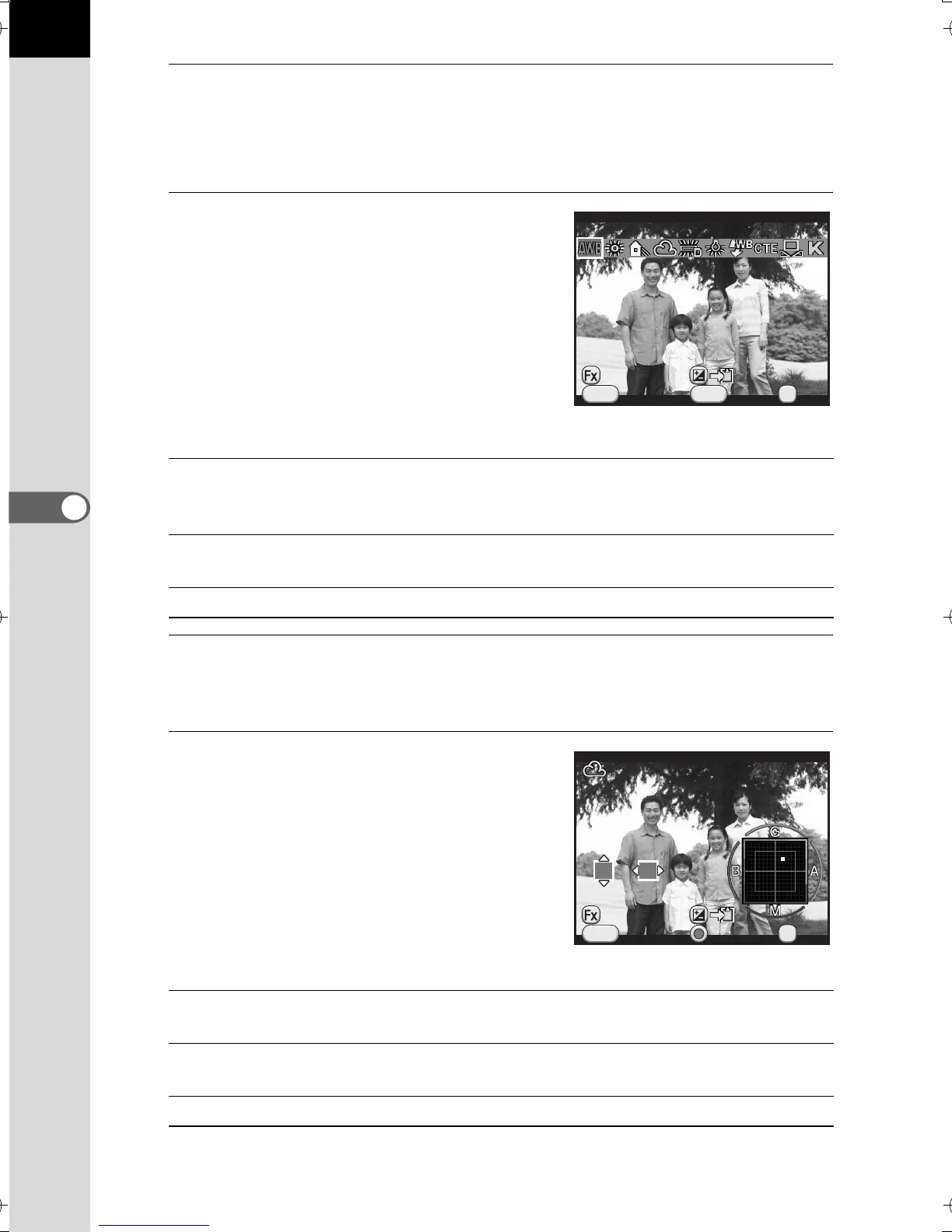
Press the four-way controller (3) in standby mode.
The White Balance setting screen appears.
The last image taken is displayed in the background.
2
Use the four-way controller (45)
to select the white balance.
When J is selected, press the four-way
controller (3) and use the four-way
controller (45) to select D, N, W, or L.
Proceed to Step 6 if you do not need to
change the parameters.
Available operations
3
Press the M button.
The fine-tuning screen appears.
4
Fine-tune the white balance.
Available operations
V/Y button
Uses Digital Preview to preview the background image with
the white balance effect applied (
only
when shooting with
the viewfinder).
m button Saves the background image (only when the data is
available).
M button Displays the fine-tuning screen.
Four-way controller
(23)
Adjusts the tone of the colors between green (G) and
magenta (M).
Four-way controller
(45)
Adjusts the tone of the colors between blue (B) and
amber (A).
d button Resets the adjustment value to the default setting.
Cancel
WB
±
MENU
INFO
Auto White Balance
OK
OK
Check
Cancel
MENU
OK
OK
±0
G3
A2
Check
e_kb524_84percent.book Page 144 Friday, June 15, 2012 12:13 PM


 To Next Page
 Loading...













