179
Playback Functions and Image Editing
6
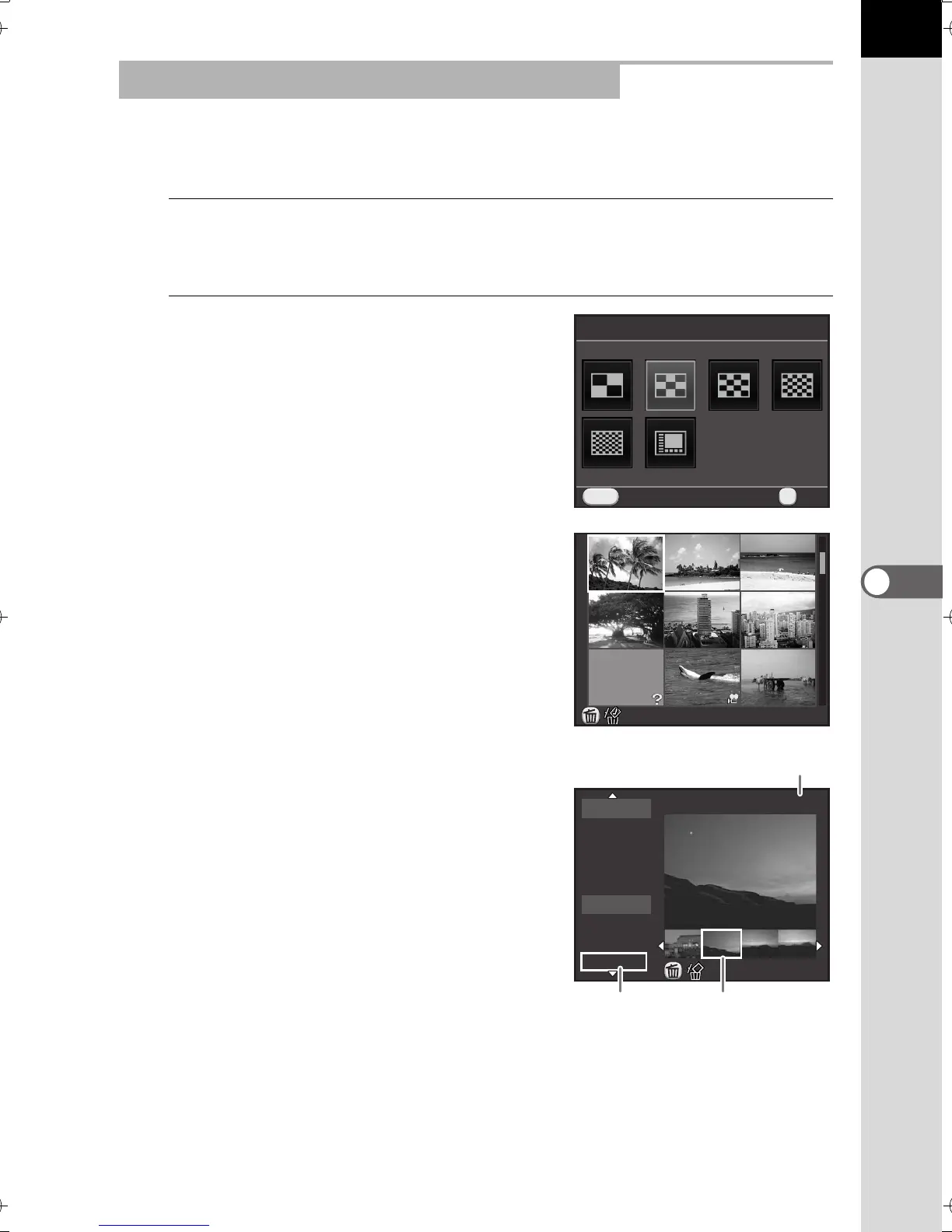
You can change the number of images displayed at the same time, or
display the images by shooting date.
1
Press the M button in Step 1 on p.178.
The display style selection screen appears.
2
Use the four-way controller
(2345) to select the display
style.
4/9/16/36/81 Thumbnail Display
Icons such as C and ? are displayed with
images (except in 81 Thumbnail Display).
Calendar Filmstrip Display
Images are grouped and displayed by the
shooting date.
Changing the Multiple Image Display Style
Cancel
MENU
9 Thumbnail Display
OK
OK
100
-
0010
7
2/5
2012.6
2012.7
THU
16
SAT
25
MON
29
FRI
8
SUN
12
THU
17
TUE
107-0002
Thumbnail
Number of images shot on this date
Shooting
date
e_kb524_84percent.book Page 179 Friday, June 15, 2012 12:13 PM



 To Next Page