26
2
Quick Start
Quick Start
Playing Back Still Pictures
To play back still pictures:
1 Press the playback button after
taking a picture.
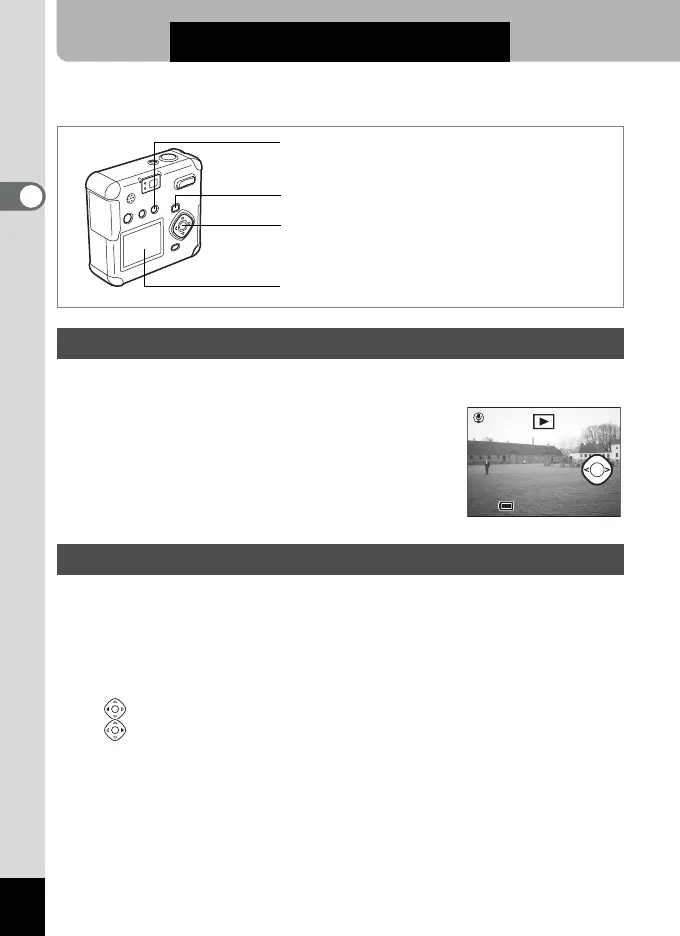
The captured image is displayed on the LCD
monitor.
You can play back still pictures, cycling through one at a time.
1 Press the Playback button after taking a picture.
The captured image is displayed on the LCD monitor.
2 Press the four-way controller (45).
Displays the previous image.
Displays the next image.
Playing Back Images
Playing Back Previous or Next Images
LCD monitor
OK button
Delete button
Playback button
11:20
10/10/2003
10/10/2003
11:20
100-0001Start



 To Next Page