94
6
Editing/Settings
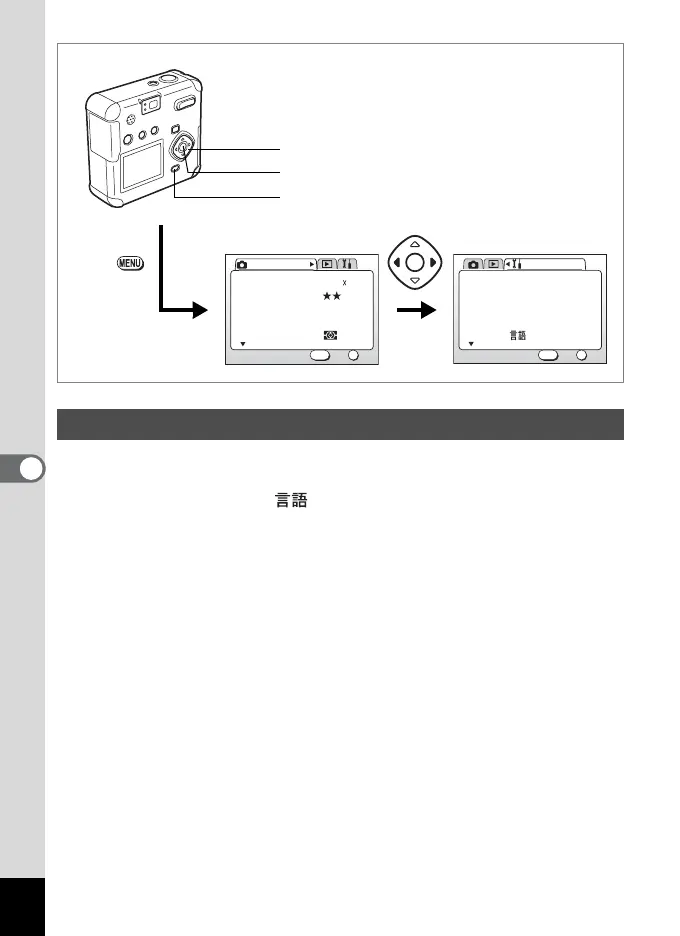
You can change the language of the menus and error messages.
1 Select [Language/ ] on the [B Set-up] menu.
2 Press the four-way controller (45) to change the
language.
3 Press the OK button.
The camera is ready for capture or playback.
Changing the Display Language
AWB
Multiple
2048 1536Recorded Pixels
Quality Level
White Balance
Focusing Area
AE Metering
Rec. Mode
OK
OK
1/3
Exit
MENU
How to recall the [B Set-up] menu
English
On
Format
Sound
Data Adjust
World Time
Language/
Set-up
OK
OK
1/3
Exit
MENU
01/01/2003
MENU button
Four-way controller
OK button



 To Next Page