92
6
Editing/Settings
You can change the initial date and time settings. You can also set the
date display style. Choose from yy/mm/dd, mm/dd/yy, and dd/mm/yy.
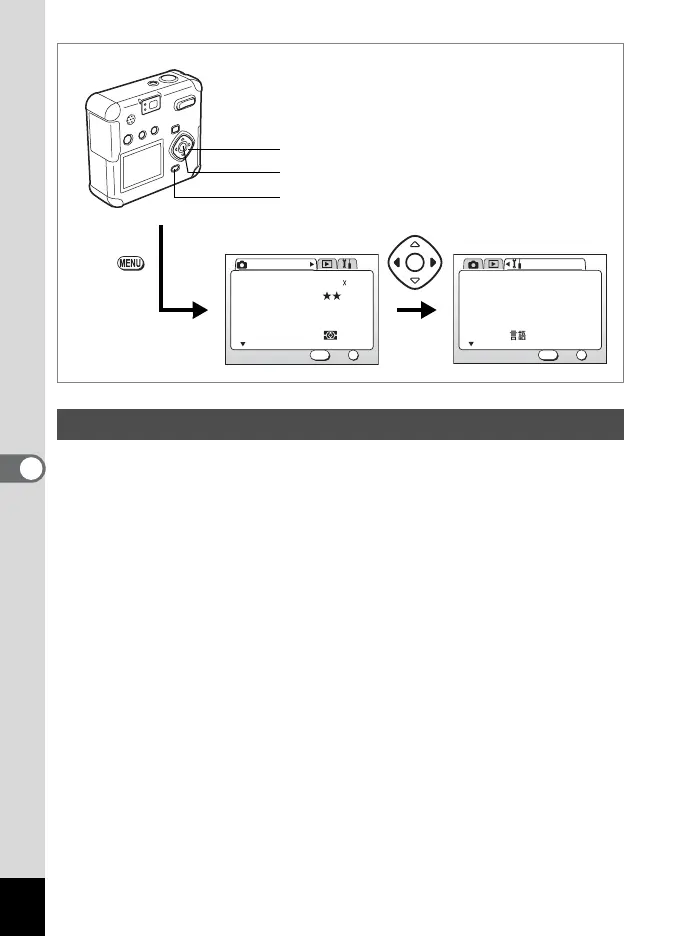
1 Select [Date Adjust] on the [B Set-up] menu.
2 Press the four-way controller (5).
The Date Adjust screen is displayed.
See “Initial Settings (p.20)” for instructions on setting the date and
time.
Changing the Date Style and Date / Time
AWB
Multiple
2048 1536Recorded Pixels
Quality Level
White Balance
Focusing Area
AE Metering
Rec. Mode
OK
OK
1/3
Exit
MENU
How to recall the [B Set-up] menu
English
On
Format
Sound
Data Adjust
World Time
Language/
Set-up
OK
OK
1/3
Exit
MENU
01/01/2003
MENU button
Four-way controller
OK button



 To Next Page