81
5
Playback/Deleting
Viewing Images on a TV
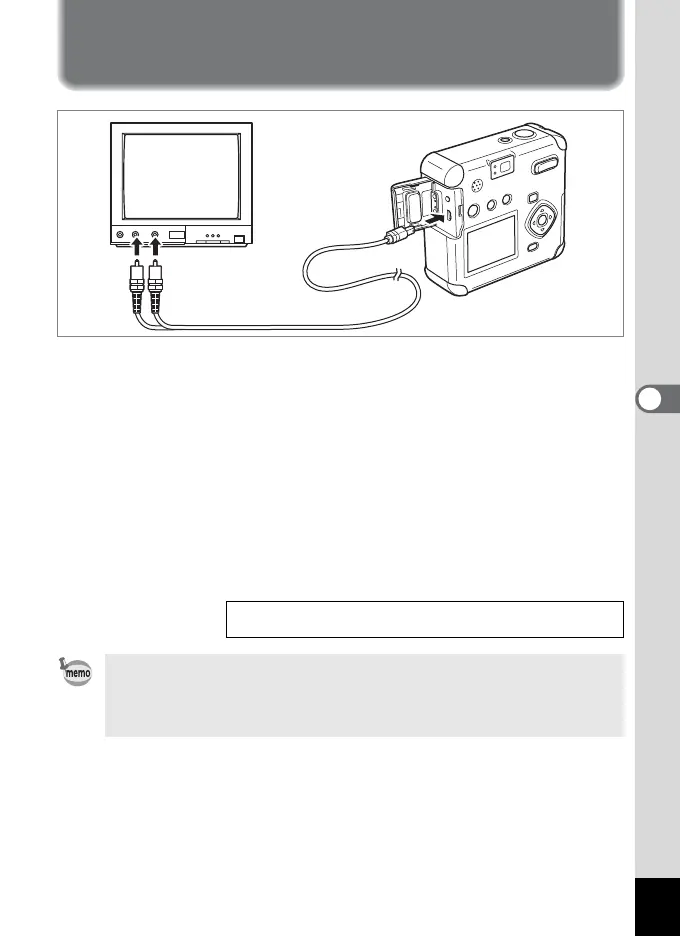
By using the AV cable, you can capture and play back images on a
TV or other equipment with a video IN jack. Make sure that both the
TV and the camera are turned off before connecting the cable.
1 Open the terminal cover and connect the AV cable.
2 Connect the sound terminal (white) and image terminal
(yellow) of the AV cable to the sound terminal (white)
and image input terminal (yellow) of the TV.
3 Turn the TV and camera on.
Selecting the Video Output Format 1p.99
The LCD monitor is always turned off when the camera is connected to
a TV. If you intend to use the camera for a long time, use of the AC
adapter (optional) is recommended. Refer to the operating manual for
the TV or equipment to which the camera is connected.



 To Next Page