73
5
Playback/Deleting
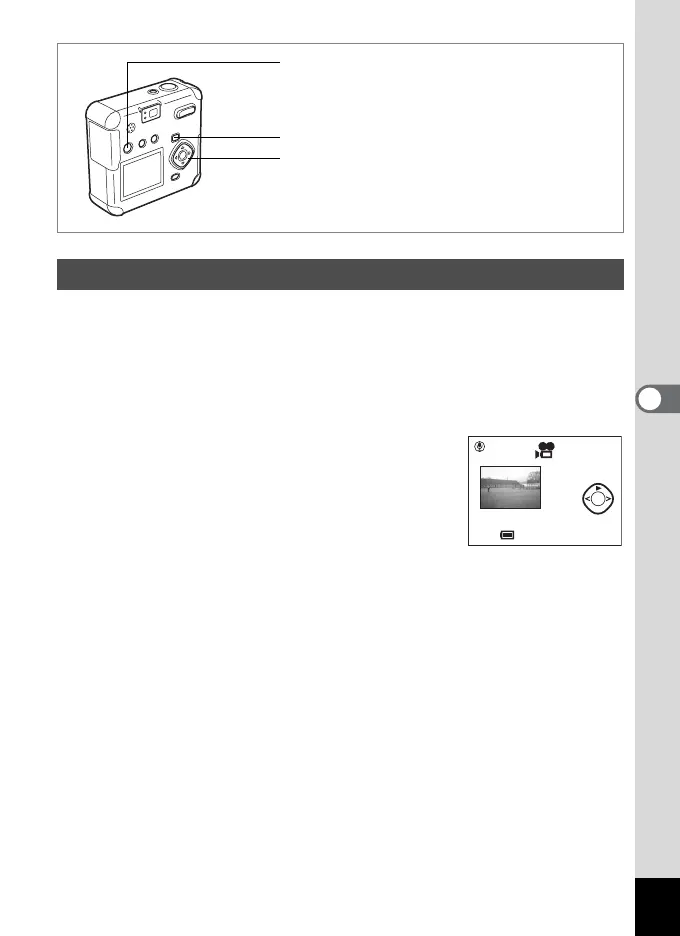
You can play back movie pictures. A guide to operation is displayed on
the LCD monitor during playback. The sound is played back at the same
time.
1 Enter the Playback mode and choose the movie picture
you want to play with the four-way controller (45).
2 Press the four-way controller (2).
Playback will start.
• The following operations can be performed
during playback.
Four-way controller (4) Reverse playback
Four-way controller (5) Forward playback
Four-way controller (2) Pauses playback.
Zoom/f/y button (x) Increases the volume.
Zoom/f/y button (w) Decreases the volume.
• The following operations can be performed while Pause is engaged.
Four-way controller (4) Single frame reverse playback
Four-way controller (5) Single frame forward playback
Four-way controller (2) Cancels Pause. (Playback resumes.)
3 Press the four-way controller (3).
Playback will stop.
4 Press the Playback button.
The camera will return to the Capture mode.
Playing Back Movie Pictures
Four-way controller
Playback button
O button
11:20
10/10/2003
10/10/2003
11:20
100-0001
Set Msg



 To Next Page