52
4
Taking Pictures
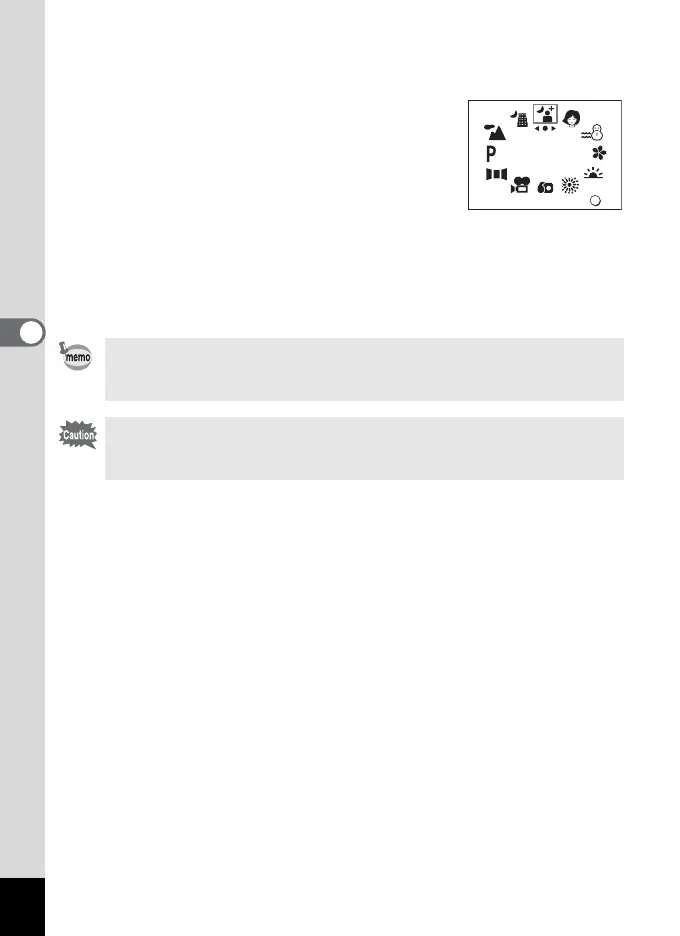
1 Press the four-way controller (3) in Capture Mode.
The virtual mode dial is displayed.
2 Press the four-way controller (45)
to select your desired display mode.
3 Press the OK button.
The Picture mode is selected.
4 Press the shutter release button.
The picture is taken.
In Picture mode, the EV compensation, saturation, contrast, sharpness,
and white balance are automatically set to the optimum values for each
mode. (You can change the settings.)
To avoid camera movement in Night-scene, Night-scene Portrait,
Sunset, or Fireworks mode, you are recommended to fix the camera on
a tripod.
OK
OK
SNAP



 To Next Page