96
6
Editing/Settings
No. Info
Capture information is not
displayed.
• During Autofocus, the
Autofocus frame (in Capture
mode) is displayed.
• Settings are displayed for
several seconds when changed.
Off
Turns off the LCD monitor.
(The LCD monitor is not
turned off in Playback mode.)
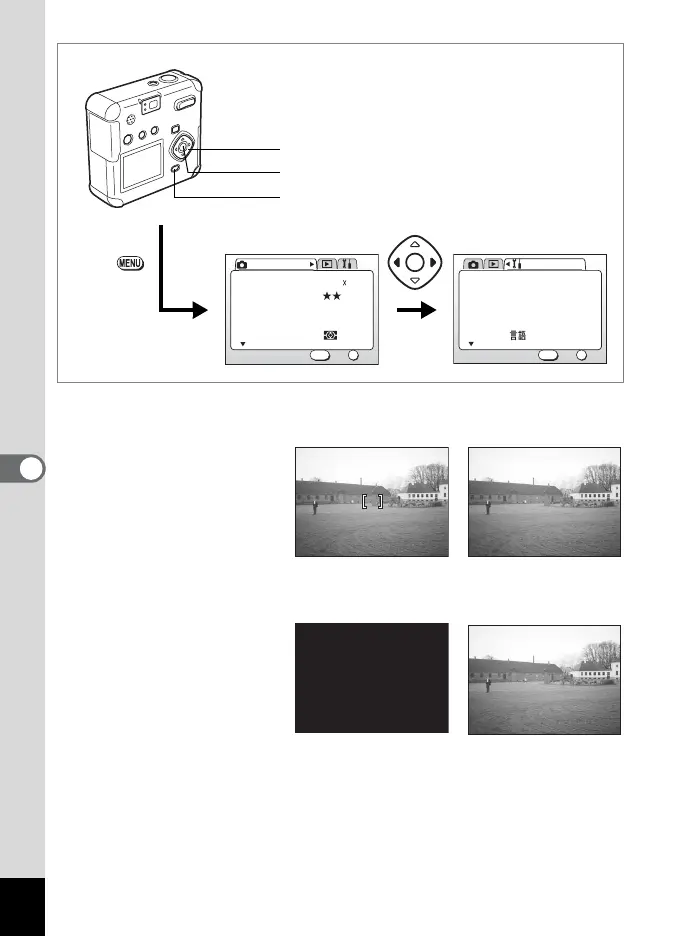
1 Select [Display] on the [B Set-up] menu.
2 Press the four-way controller (45) to select the
desired display mode.
3 Press the OK button.
The camera is ready for capture or playback.
AWB
Multiple
2048 1536Recorded Pixels
Quality Level
White Balance
Focusing Area
AE Metering
Rec. Mode
OK
OK
1/3
Exit
MENU
How to recall the [B Set-up] menu
English
On
Format
Sound
Data Adjust
World Time
Language/
Set-up
OK
OK
1/3
Exit
MENU
01/01/2003
MENU button
Four-way controller
OK button
Capture Mode Playback Mode
Playback Mode
Capture Mode



 To Next Page