101
3
Taking Pictures
3
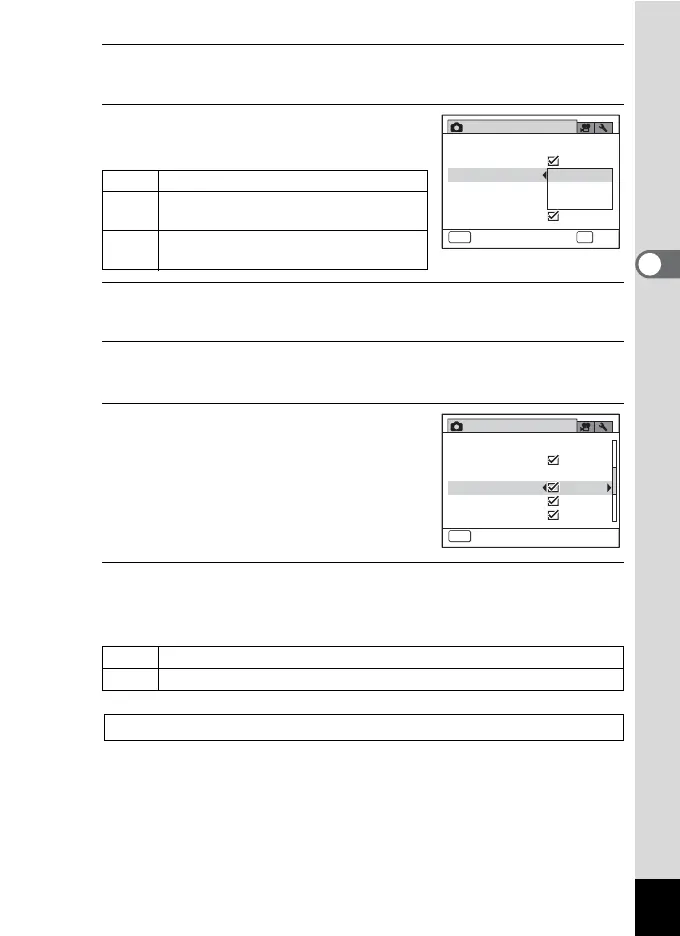
Press the four-way controller (5).
A pull-down menu appears.
4
Use the four-way controller (23)
to select an option.
5
Press the 4 button.
The setting is saved.
6
To set the Blink Detection function, press the four-way
controller (3) to select [Blink Detection].
7
Use the four-way controller (45)
to select O or P.
O Blink Detection function works.
P Blink Detection function does not
work.
8
Press the 3 button.
The camera returns to capture status.
The Face Detection icon appears on the display.
On The camera detects a person’s face.
Smile
The camera automatically release the
shutter when your subject smiles.
Off
The camera does not detect a person’s
face.
I When [Face Detection] is set to [On]
J When [Face Detection] is set to [Smile]
Blink Detection 1p.67
Rec. Mode
2/3
Instant Review
MENU
Cancel
Shake Reduction
Digital Zoom
On
Smile
Off
D-Range Setting
Face Detection
Blink Detection
OK
OK
Rec. Mode
2/3
Instant Review
MENU
Exit
Shake Reduction
Face Detection
On
Digital Zoom
D-Range Setting
Blink Detection



 To Next Page
 Loading...







