EasyManua.ls Logo

Pentax Optio S1 - Display in Q Mode

Pentax Optio S1
225 pages
Print Icon
To Next Page IconTo Next Page
To Previous Page IconTo Previous Page
Loading...
24
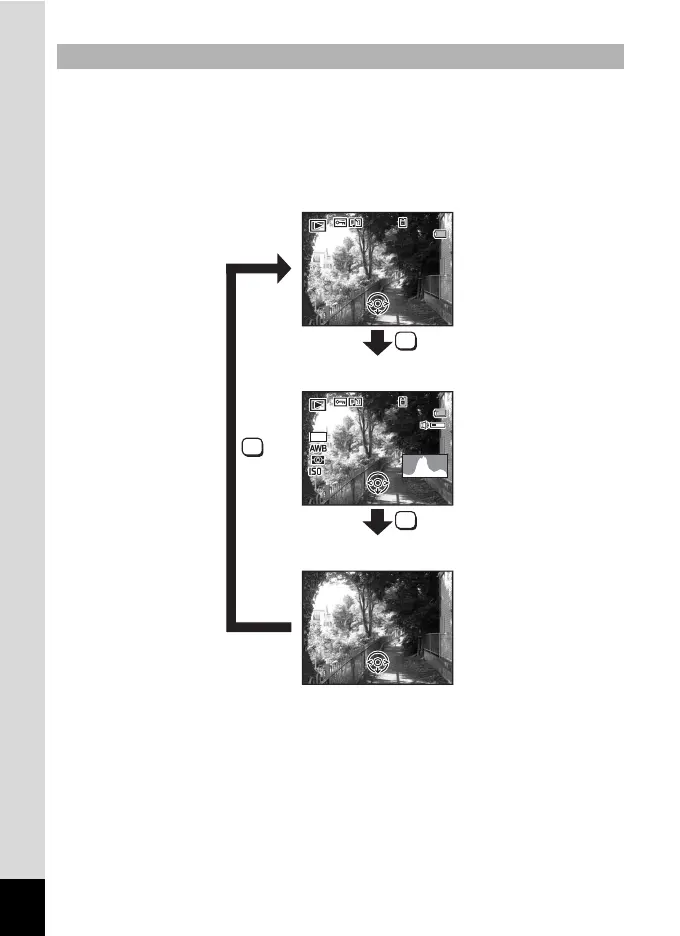
The display shows the shooting information of the image in the playback
mode. The display changes in the following sequence each time you
press the 4/W button: “Normal Display”, “Histogram + Info”
and “No Info”.
Display in Q Mode
OK
OK
OK
F3.5
F 3 . 5
1/250
1 / 2 5 0
F3.5
1/250
100
1 0 0
-
0038
0 0 3 8
100
-
0038
14:25
1 4 : 2 5
14:25
200
200
200
Edit
Edit
14
M
03/03/2011
0 3 / 0 3 / 2 0 1 1
Edit
03/03/2011
100
1 0 0
-
0038
0 0 3 8
100
-
0038
14:25
1 4 : 2 5
14:25
Edit
Edit
03/03/2011
0 3 / 0 3 / 2 0 1 1
Edit
03/03/2011
Edit
Edit
Edit
Normal Display
Histogram + Info
No Info

Table of Contents

Other manuals for Pentax Optio S1

Related product manuals