121
4
Playing Back and Deleting Images
You can play back recorded images one after another.
1
In Q mode, use the four-way controller (45) to
choose the image to start the slideshow with.
2
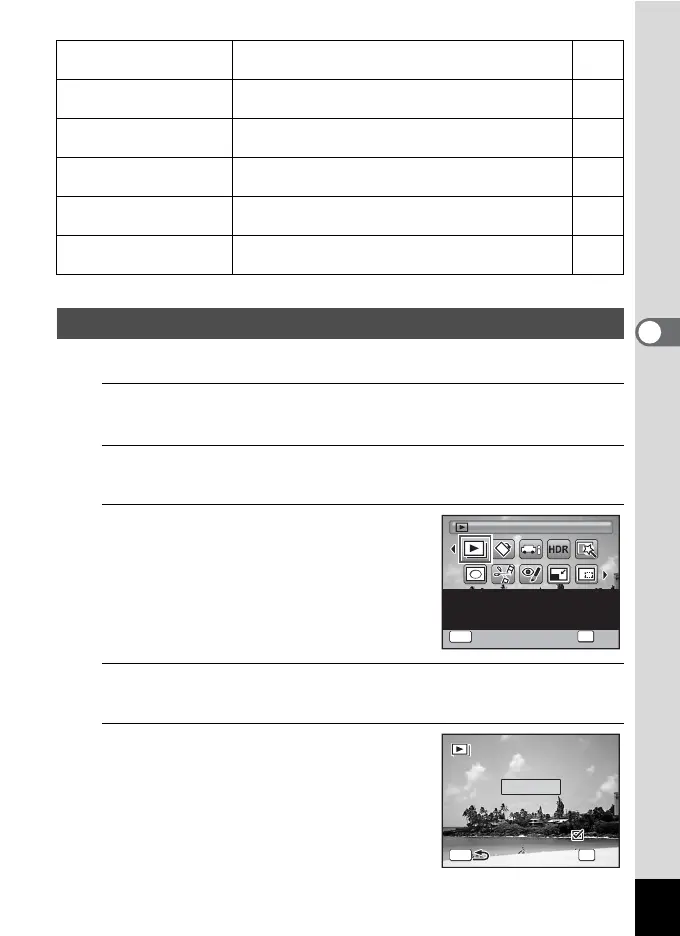
Press the four-way controller (3).
The Playback Mode Palette appears.
3
Use the four-way controller
(2345) to select u
(Slideshow).
4
Press the 4 button.
The slideshow setting screen appears.
5
Use the four-way controller (23)
to select [Start].
o
Cropping
For cropping images to the size you like. Saved as
a new image.
p.137
p
Image/Sound
Copy
For copying images and sounds between the built-
in memory and SD Memory Card.
p.150
\
Voice Memo
Attaches sound to images. Recording is possible
till the memory card is full.
p.161
Z
Protect
Protects images and sounds from accidental
deletion. Formatting will delete protected data.
p.129
r
DPOF
For the print settings. Useful when printing at a
printing service.
p.153
R
Start-up Screen
For setting a captured image as the Start-up
Screen.
p.177
Slideshow
Slideshow
OK
OK
MENU
Cancel
Slideshow
OK
Cancel
For continuously playing
back images. Screen or
sound effects can be set
1/2
MENU
3sec.
Interval
S l i d e s h o w s t a r t s
Slideshow starts
Screen Effect
Start
Wipe
Sound Effect
OK
OK



 To Next Page
 Loading...







