192
8
Connecting to a Computer
1
Connect the camera to your Macintosh.
Refer to Steps 2 to 4 on p.184 for details.
2
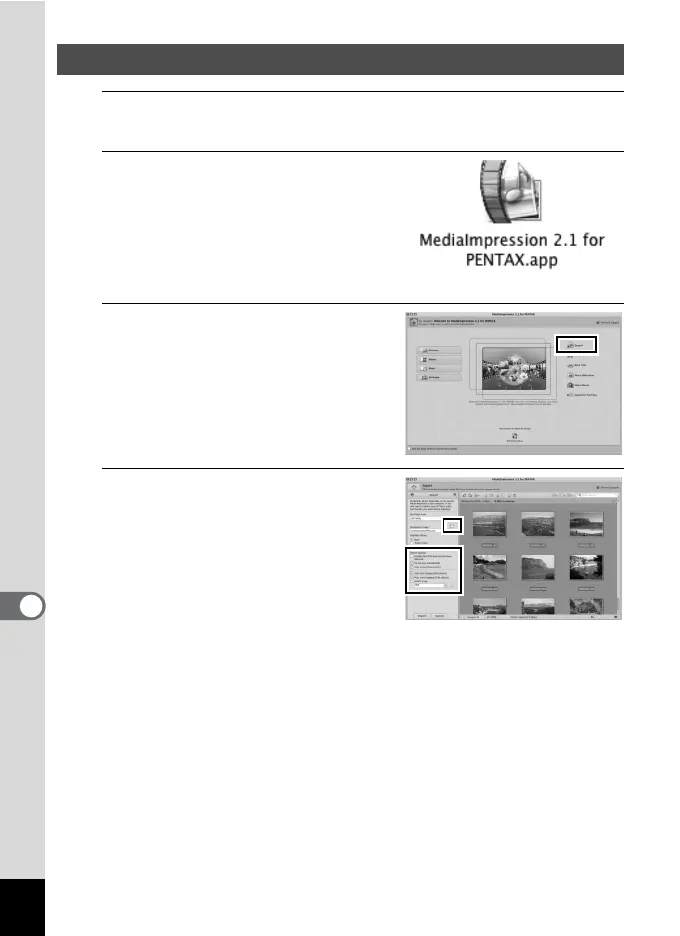
Double-click the
[MediaImpression 2.1 for
PENTAX] icon in the
[Applications] folder.
MediaImpression 2.1 for PENTAX
starts and the start page appears.
3
Click [Import].
The Import screen appears.
4
Select an image to import.
To select multiple images, choose the
images while pressing the Ctrl key.
To specify the destination location,
click the folder icon.
If any of the “Import Options” are
checked, marks will appear on the
images that were imported.
Using MediaImpression on Macintosh



 To Next Page
 Loading...







