191
8
Connecting to a Computer
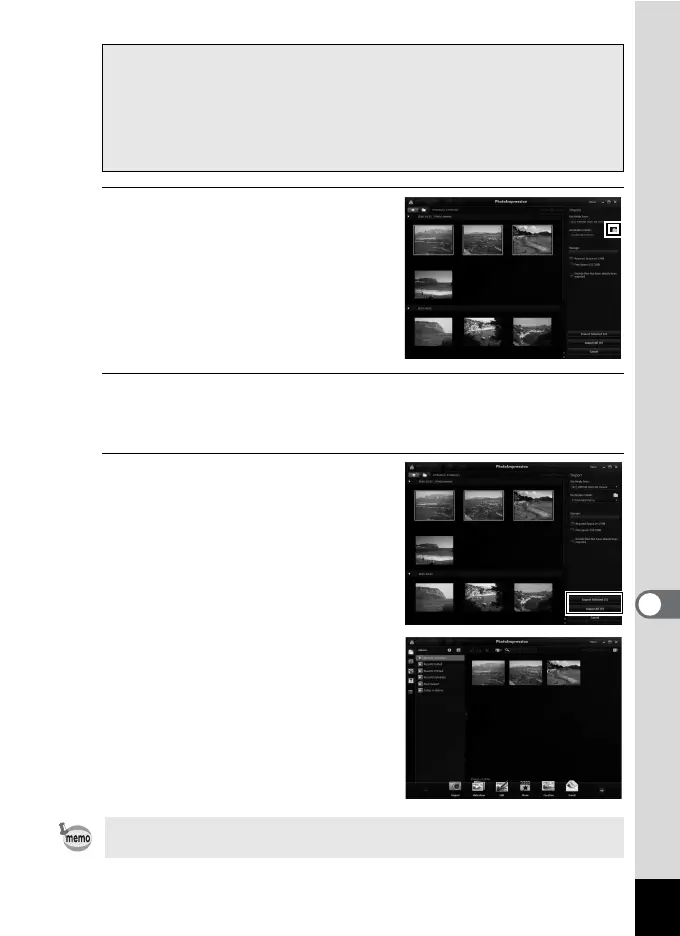
3
Click the folder icon next to
[Destination Folder] and
specify the destination
location.
To import all images, proceed to Step
5.
4
Select an image to import.
To select multiple images, choose the images while pressing the Ctrl
key.
5
Click [Import Selected] or
[Import All].
When a message appears after import
is complete, click [Done].
The images are imported to the
computer and the Album screen
appears.
You can enlarge the display size of an
image or edit an image in the Album
screen.
When the [AutoPlay] screen does not appear
1 Double-click the [MediaImpression 3.0 for PENTAX] icon on
the desktop.
2 Click [PhotoImpression].
3 Click [Import].
You can find more information on how to use MediaImpression by using
the help pages. Select [Help] in [Menu] at the top right of the screen.



 To Next Page
 Loading...







