151
5
Editing and Printing Images
3
Press the 4 button.
The copying method selection screen appears.
Subsequent steps vary depending on your selection.
All the images and sound files in the built-in memory are copied to the
SD Memory Card at once. Before copying the images, make sure that
there is enough space on the SD Memory Card.
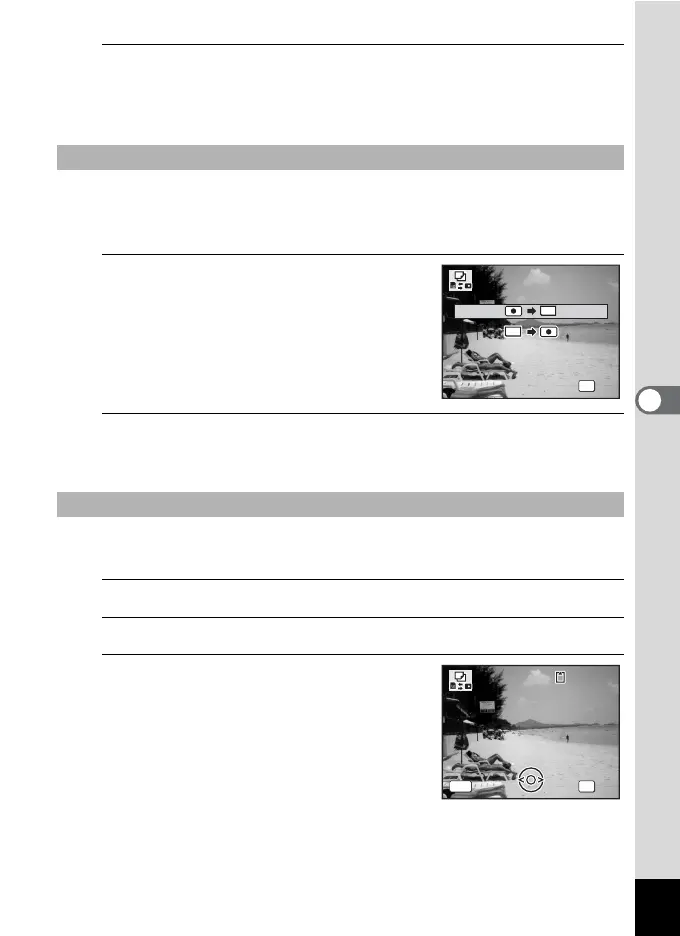
4
Use the four-way controller (23)
to select [2}{].
5
Press the 4 button.
All the images and sound files are copied to the SD Memory Card.
Selected images and sound files from the SD Memory Card are copied
to the built-in memory one by one.
4
Use the four-way controller (23) to select [{}2].
5
Press the 4 button.
6
Use the four-way controller (45)
to select the image/sound file you
want to copy.
To Copy Files from the Built-in Memory to the SD Memory Card
To Copy Files from the SD Memory Card to the Built-in Memory
OK
OK
OK
Cancel
SD
SD
Cancel
SD
OK
OK
OKCancel
Cancel
MENU
Copies this image/sound
C o p i e s t h i s i m a g e / s o u n d
Copies this image/sound
100
-
0017
100
-
0017











 To Next Page