167
7
Settings
6
Press the four-way controller (5).
The frame moves to [24h].
7
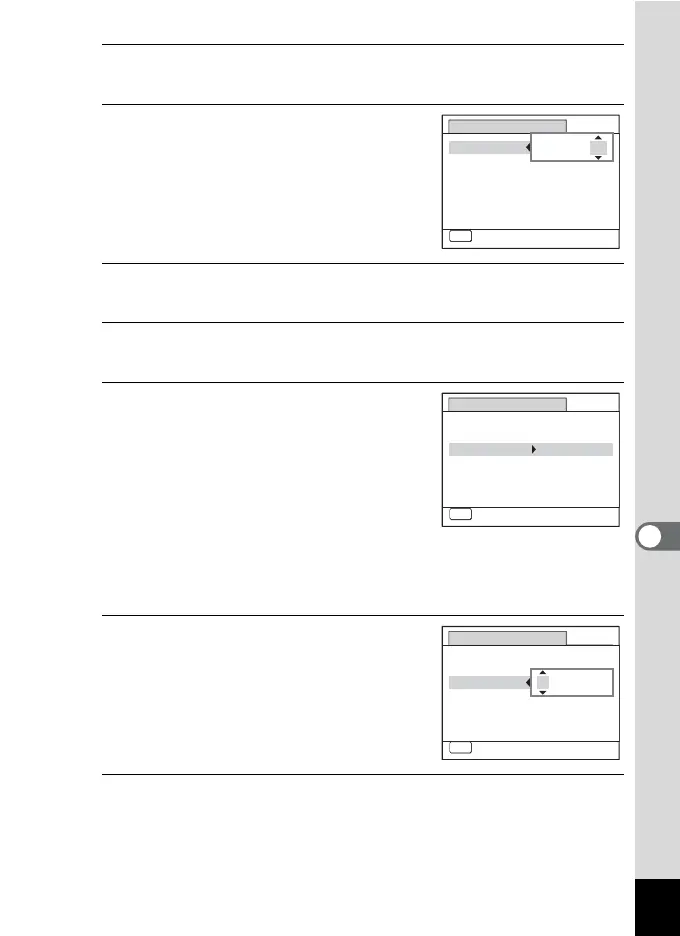
Use the four-way controller (23)
to select [24h] (24-hour display) or
[12h] (12-hour display).
8
Press the four-way controller (5).
The frame returns to [Date Format].
9
Press the four-way controller (3).
The frame moves to [Date].
10
Press the four-way controller (5).
The frame moves to one of the following
items depending on the date format set in
Step 5.
Month for [mm/dd/yy]
Day for [dd/mm/yy]
Year for [yy/mm/dd]
The following operations and screen use [mm/dd/yy] as an example.
The operations are the same even if another date format has been
selected.
11
Use the four-way controller (23)
to change the month.
12
Press the four-way controller (5).
The frame moves to the day field. Use the four-way controller (23) to
change the day. After changing the day, change the year in the same
manner.
MENUMENU
Date Adjustment
Cancel
Date Format
D
ate
Time
Settings complete
01/01/2011
00:00
mm dd yy//
24h
MENU
Date Adjustment
Cancel
Date Format
D
ate
Time
Settings complete
01/01/2011
00:00
mm dd yy/ / 24h
MENU
Date Adjustment
Cancel
Date Format
D
ate
Time
Settings complete
00:00
mm dd yy/ / 24h
01/01/2011



 To Next Page
 Loading...







