Explorer Mini Repairs - Control panel
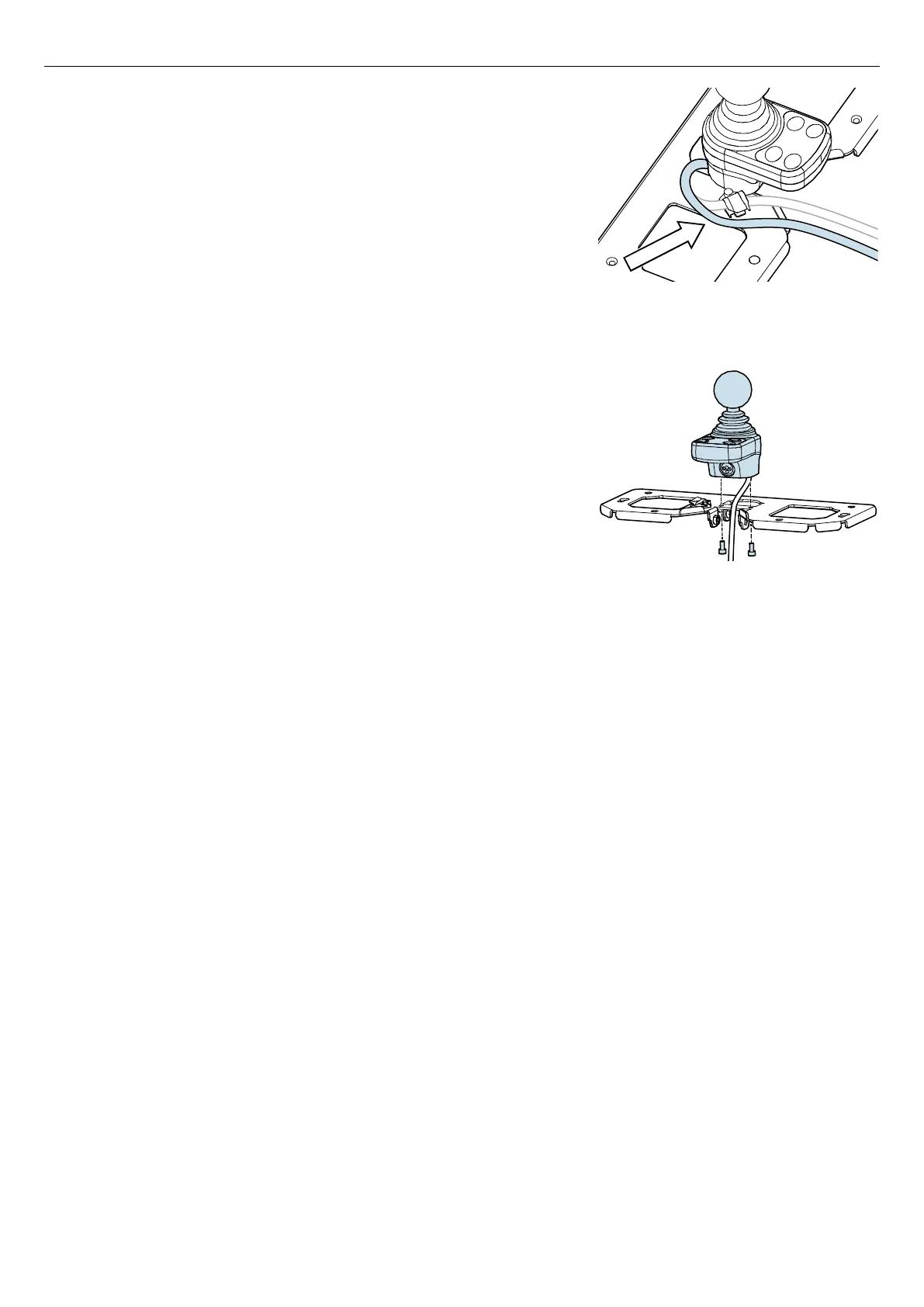
Figure 88. Remove the cable to the control panel from
the cable holder on the table bracket.
16. Remove the cable to the control panel from the cable holder on the
table bracket.
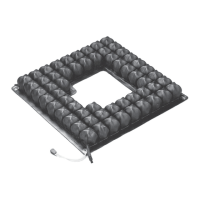
Figure 89. Remove the control panel from the table
bracket.
17. Remove the screws from the table bracket and remove the control
panel from the table bracket.
46


 To Next Page