DA 7440 User Manual v.1.1 Aug 2015
13 (48)
5.3 View measurement results
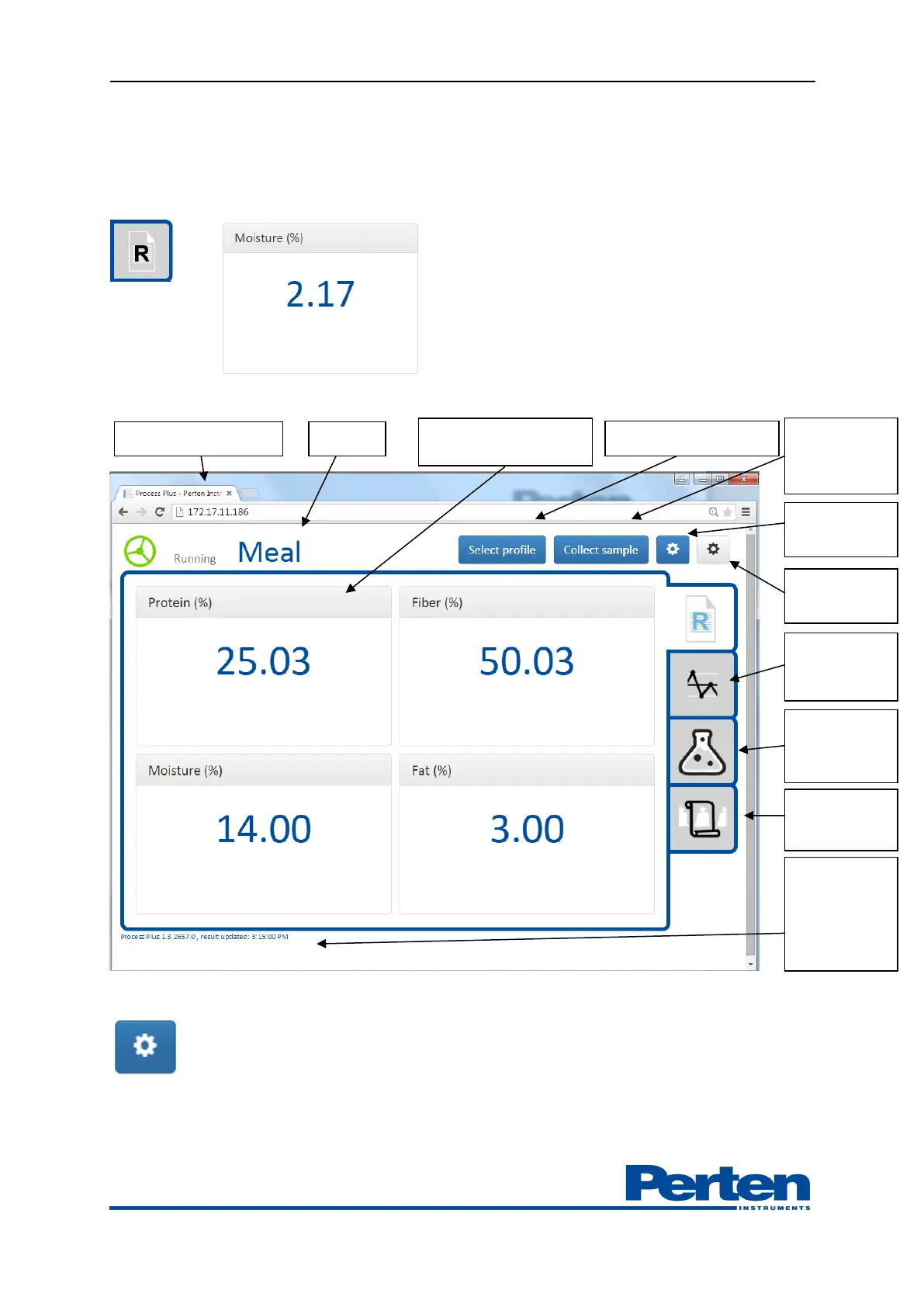
When logged on to the system the main interface screen, Results, will be shown with current
measurement values. Measurements will update according to set interval.
The picture below show a typical interface screen, with product and measurement results.
Number of parameters shown are edited in Display settings.
A profile can include up to 20 parameters, select the number to display among the parameters in
the profile with drop down Max Results box.
Parameter and current
measurement
Activate
sample
collection
Show grab
samples
collected
Process Plus
version, time
of
measurement
update


 To Next Page