DA 7440 User Manual v.1.1 Aug 2015
24 (48)
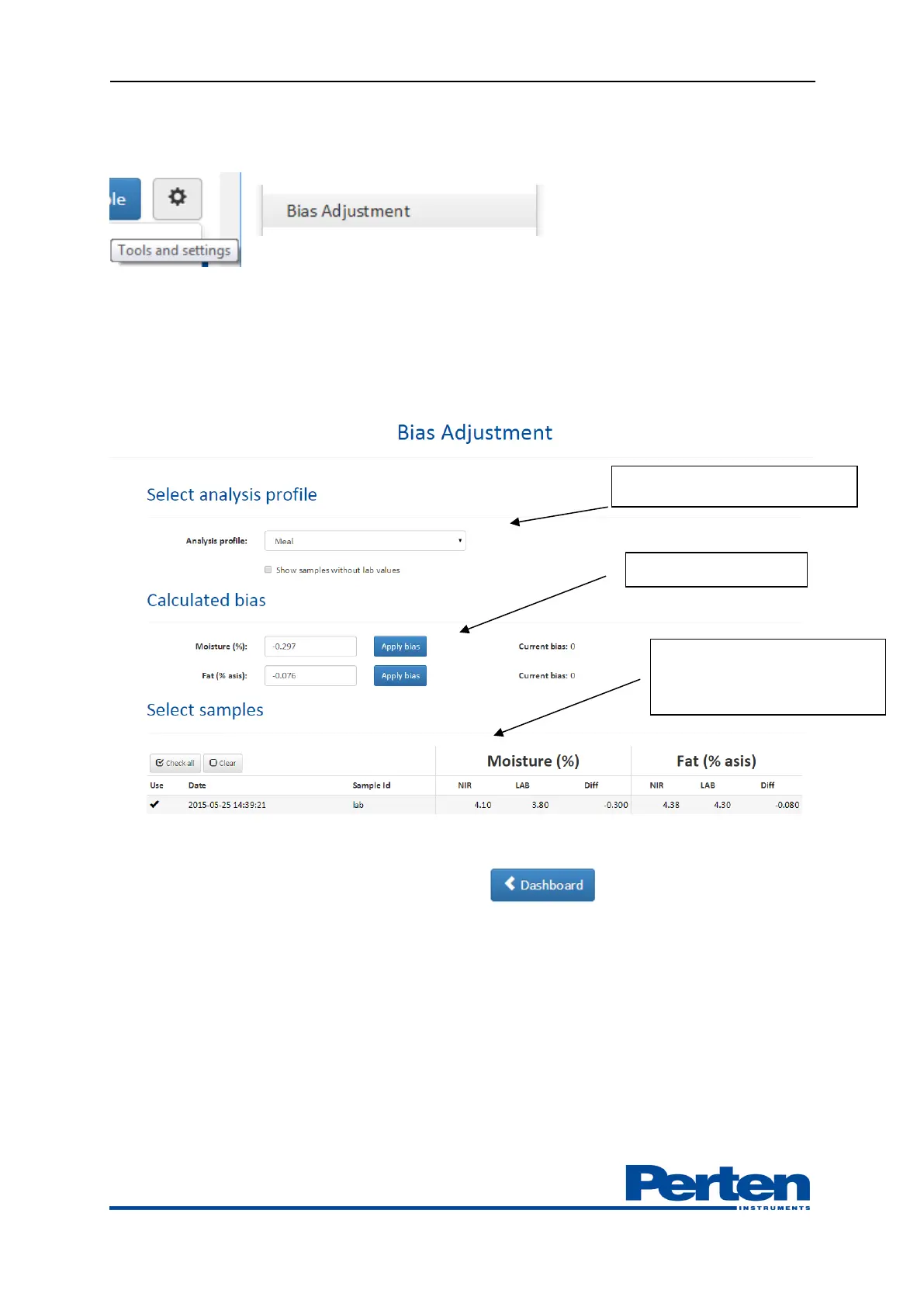
Select settings and export menus by selecting Tools and settings tab and Bias Adjustment menu.
Select Analysis profile in which to set adjustment.
Select which samples to include in adjustments.
Calculated bias is shown; apply each bias by selecting Apply bias tab. The bias to apply can also be
manually entered.
Select Dashboard tab for returning to main interface.
7. Reporting and Data export
7.1 Data export overview
Measurement results and spectra
Measurement results, grab samples results / spectra and measurement spectra can be exported
through the Process Plus user interface.
Export menus are available by selecting the Tools and settings tab.
Profile in which adjustment is set
Including samples in
calculation: NIR results, Lab
results and difference


 To Next Page