DA 7440 User Manual v.1.1 Aug 2015
40 (48)
2. Set static IP address on the computer, E.G 10.0.0.2
3. Set up a static arp entry by typing, replacing the x with the mac address printed on the
DA 7440 sensor S/N label:
arp s 10.0.0.3 xxxxxxxxxxxx
4. Change the IP address using the procedure above.
9.3 Product Detection
The DA 7440 instrument can detect if measurements are being done on product or empty
conveyor belt, dirt or other material, excluding the erratic readings before presenting results.
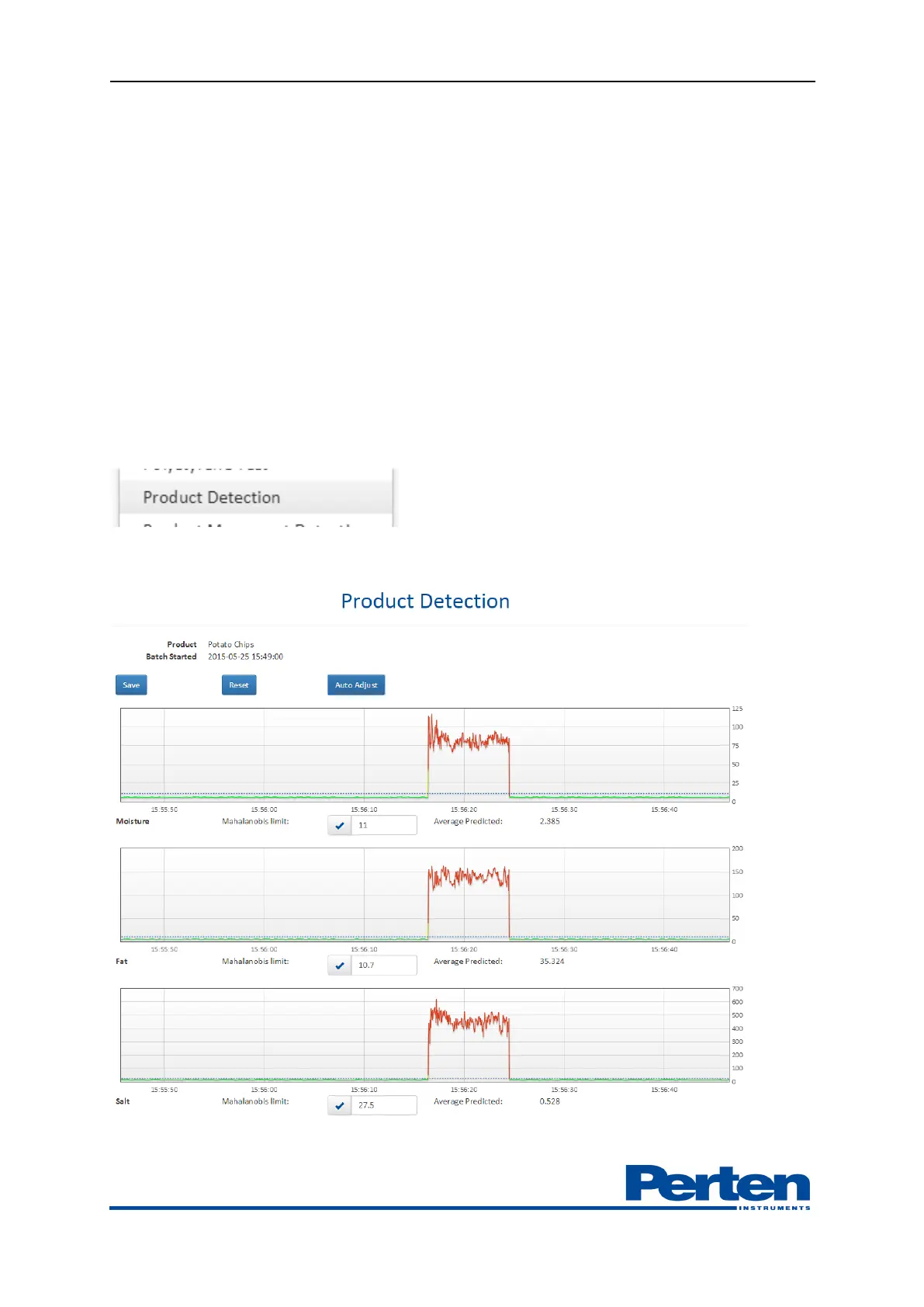
Product detection is displayed as a number; a low values is from product on the belt, a high is
from erratic reading.
Selecting Product detection settings menu displays a tuning function for setting the detection
limits.
Product levels are shown in the past minute, highlighting limit and predictions above and below
limits.


 To Next Page