DA 7440 User Manual v.1.1 Aug 2015
41 (48)
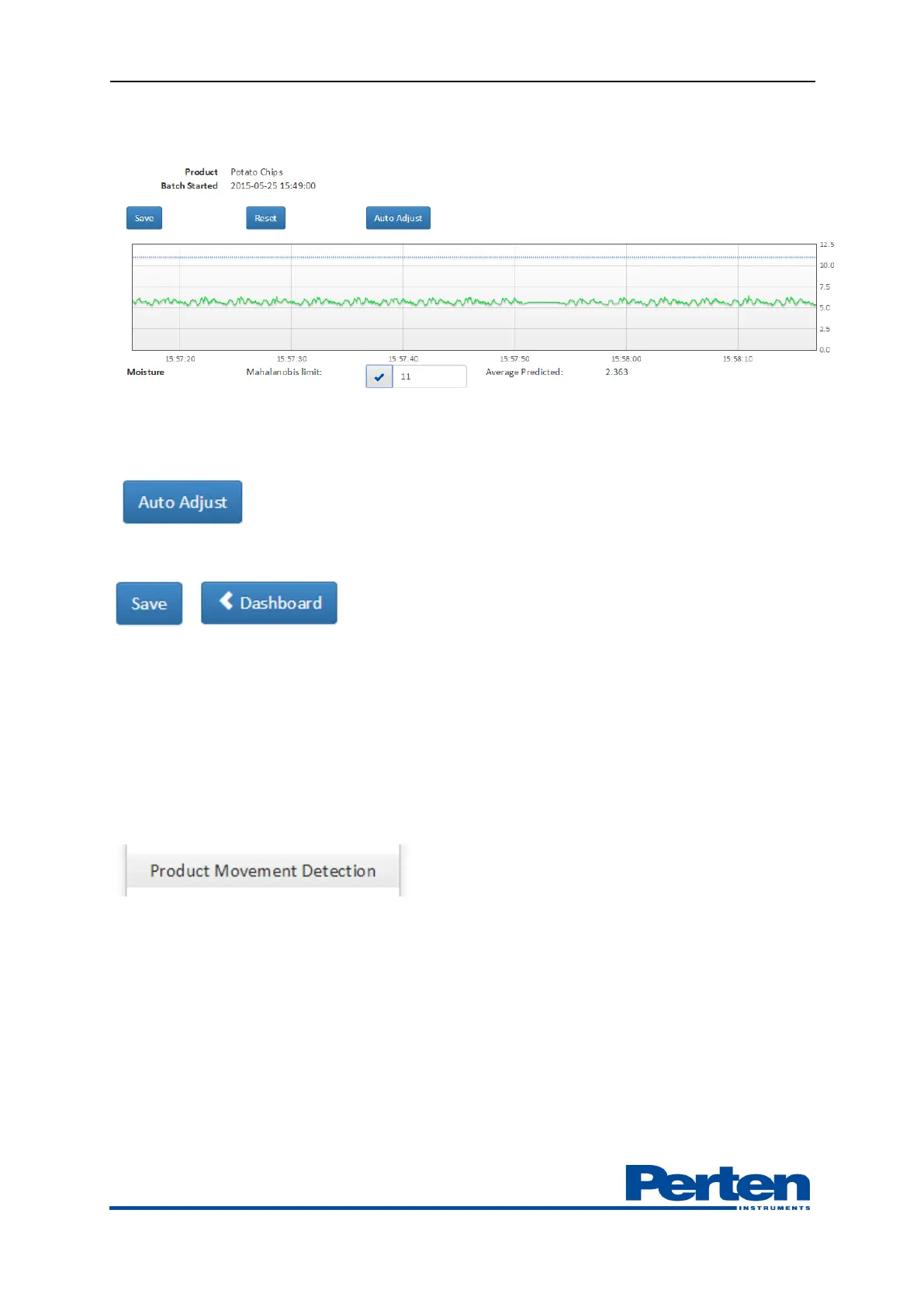
Values can be set manually or by pressing Auto adjustment function. It can be selected which
parameters that are used in the detection.
In order to use the Auto Adjust function, make sure that the last minute includes measurements
on product. When this is confirmed, press Auto Adjust button.
Select save and Dashboard to return to main screen.
9.4 Product Movement Detection
The DA 7440 is designed to measure on a moving product, an internal function allows for
measurements to start-stop measure based on the product flow.
Configuration of the product movement detection is made through a tools and settings function.
A moving product creates high movement values. The higher limit value, the toguher limit on
movement. Setting the threshold to zero deactivates the movement function.


 To Next Page