DA 7440 User Manual v.1.1 Aug 2015
43 (48)
Paste the files send ( “xml file + calibration” file) in this folder, overwrite the existing
ones.
4. Exit remote desktop.
9.6 Integration of measurement results
Measurement results and instrument status are continuously sent out on OPC-DA format,
through the instrument OPC-DA Server. Optional modules, hardware and software, can be used
as add-ons to the internal OPC-DA server of the instrument. This can be used to provide
fieldbus interfaces such as Profibus DB or Modbus. All measurement data of the instrument re
handled in an internal SQL database on which on request direct access can be provided.
Contact your Perten instrument partner for more information about these integration options.
Measurement results are continuously written into a XML file on the DA 7440 computer or
server. The exported file is placed in the directory C:\Perten\ProcessPlus\Results\Published in a
file named published.xml
Each time a measurement is published, the file is overwritten.
Results from samples collection are also written into a XML file on the DA 7440 computer or
server. The exported file is written in the directory C:\Perten\ProcessPlus\Results\Sample in a
file named sample.xml
10. Troubleshooting
10.1 Instrument status overview
Software versions
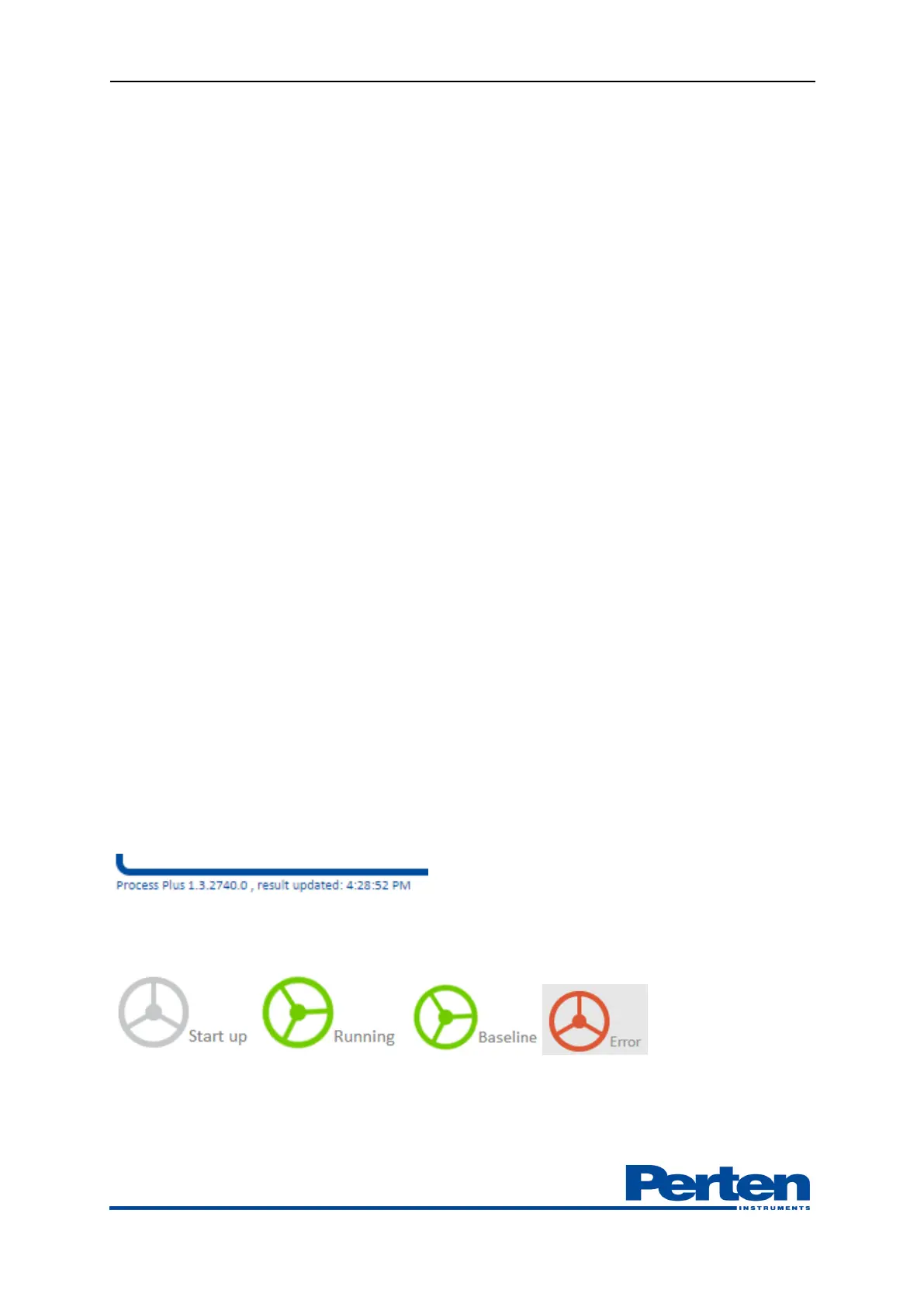
The instrument software version and last measurement update time is shown in the bottom left
corner.
Instrument status display in Process Plus
The status of the instrument is displayed in upper left corner.
-When starting up instrument, before analysis profile is activated, status is Start up.
-During normal operation the status of the instrument is Running.


 To Next Page