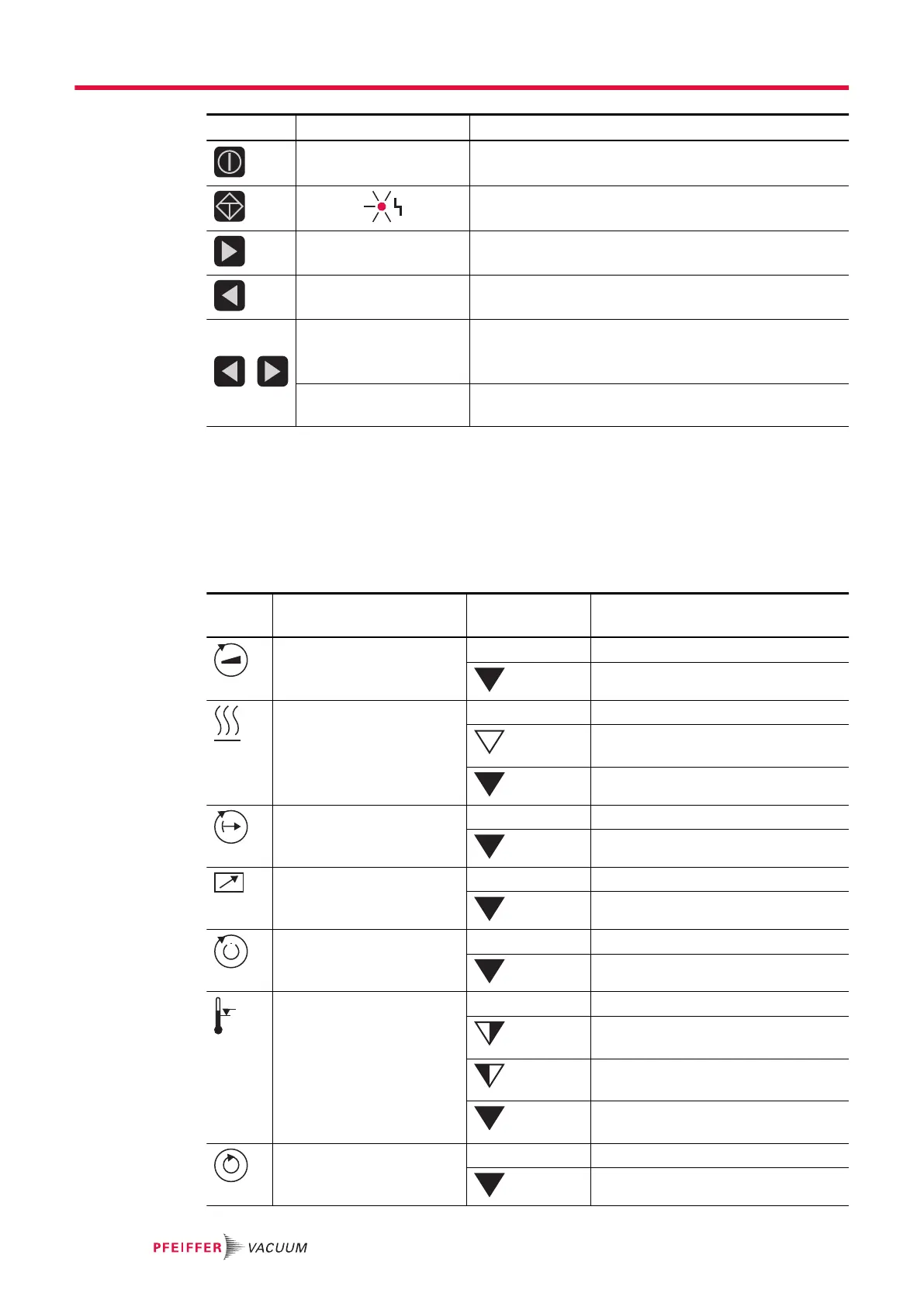
Key Parameter | use Description
corresponds to
[010] = 0 or 1
Pumping station ON/OFF: All components are put
into/out of operation according to their configuration
Error acknowledgement (Reset): Resets active malfunc-
tion messages in case the cause is eliminated.
[308] --> [309] Scroll forwards through the parameter set
[309] --> [308] Scroll back through the parameter set
Press simultaneously Editing mode: Allows the setting of parameter options
The arrow - - - > designates the option selection in the dis-
play
Press simultaneously
again
Selection mode: Accepts the selection made ("change
confirmed" is displayed)
Tbl. 5: Description of the key functions of the DCU
3.4.2 Status symbols
Status symbols under the LC-display visualize the current operating condition of the connected devices
relative to essential parameters. Arrow representations in the lower display line provide visual informa-
tion regarding status of the device.
Symbol Parameter Arrow represen-
tation
Explanation
Vacuum pump accelerates
= [P:307]
– NO
YES
Preselection Heating
= [P:001]
– No preselection
Preselection heating, switching point
not reached
Heating On, switching point reached
Standby
= [P:002]
– OFF
ON
Equipment remote controlled
= [P:300]
– NO
YES
Switching point reached
= [P:302]
– NO
YES
Overtemperature – No overtemperatures
Overtemperature vacuum pump = [P:
305]
Overtemperature electronic drive unit =
[P:304]
Overtemperature vacuum pump and
electronic drive unit
Final speed reached
= [P:306]
– NO
YES
Product description
16/38





 To Next Page