Test Function
LC-display All characters in the LC display go dark for a short time.
LED The red and green LEDs illuminate during the self-test.
Hardware –
Connection to the electronic drive
unit
Request regarding correct connection to the electronic drive unit
Parameter check The DCU loads the parameter set from the electronic drive unit
Identification of the connected de-
vices
●
Electronic drive unit designation display,
●
Transmitter designation display
1)
.
Tbl. 12: Self-test, internal requests after switching on
●
The green LED starts flashing when the self-test is complete. The DCU is ready for operation.
What to doin the event error messages appearing after switching on
1.
Remove the cause of the fault (see chapter “Error codes”, page 30).
2.
Reset the error messages by pressing the key.
6.3 Displaying and configuring parameters with the DCU
Each parameter has a three-digit number and a description. The value of a parameter is always reada-
ble. Editable parameters are control commands and reference value inputs.
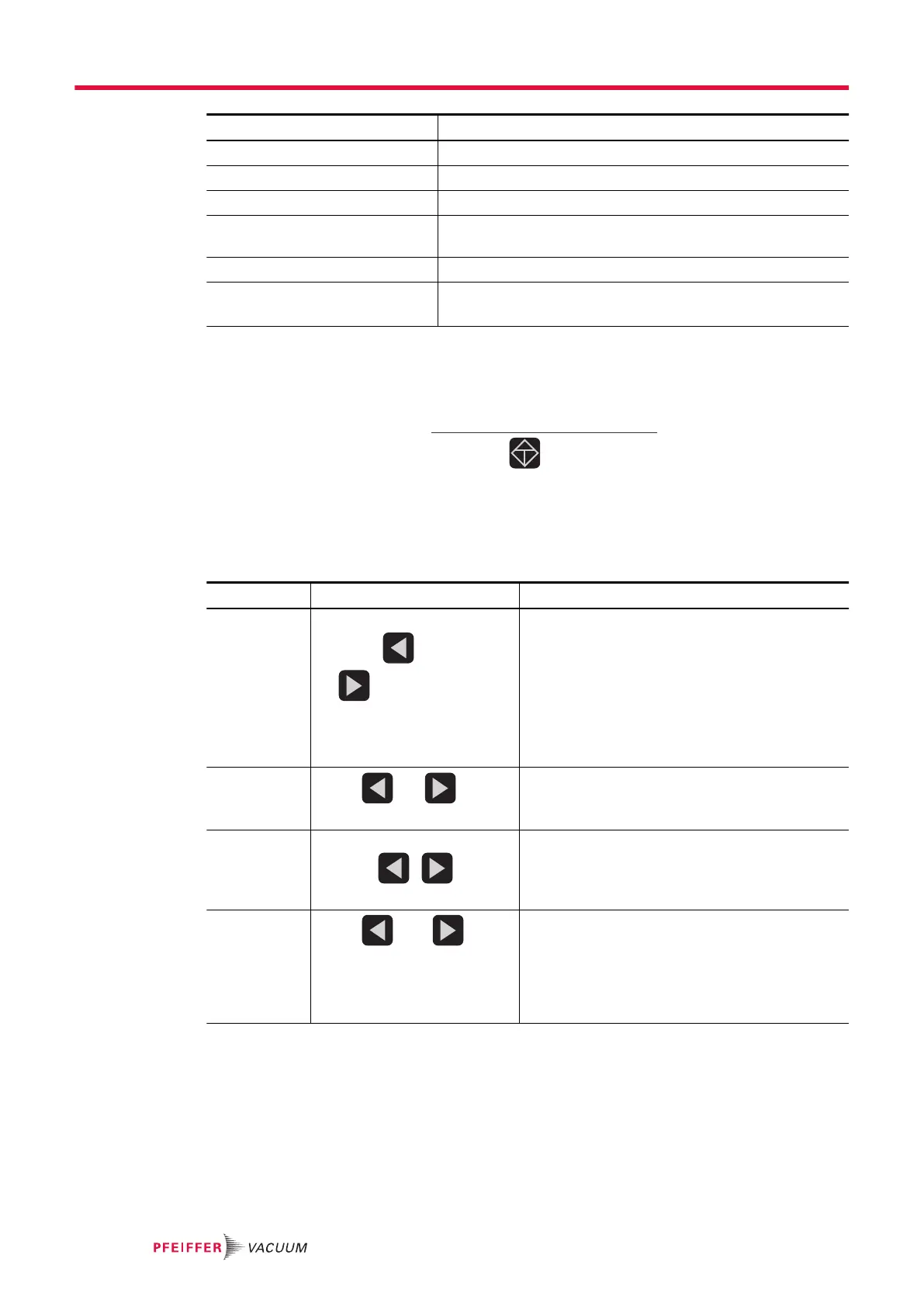
Function Actuation Effect
Select param-
eter
Preselect parameter number
using the (backwards)
or (forwards) keys
Holding the respective key
pressed will effect rapid scroll-
ing
The selected parameter is displayed in Line 1, and
the associated value in Line 2.
Set parame-
ters
Press and keys si-
multaneously
●
Edit mode for the selected parameter is active
●
An arrow (––►) is displayed at the beginning
of the second line in the LCD
Modify pa-
rameter value
Reduce or increase value with
the keys , , or
change option.
Acknowledge
parameter
Press and keys
simultaneously.
●
Parameter for Line 1 is selected
●
Line 3 displays: "change confirmed" if no 2nd
displayed value has been selected (see [P:
795])
●
Editing mode for the selected parameter is
complete; the arrow (––►) disappears
Tbl. 13: Selecting and setting parameters
Conditions for automatic termination of the Edit mode
●
Input disruption or no key operation for more than 10 sec.
●
Occurrence of an error
●
Press the ON/OFF key.
●
If Line 3 = empty , "data not changed" will be displayed.
1)
A connected PCR 280 transmitter appears as "TPR" in the display.
Operation
26/38





 To Next Page