116
13.1 IQ Back and Phase One 645AF/DF and Mamiya 645 AFD
The IQ back is fully integrated with the Phase One and Mamiya 645 camera
series and functions as a part of the whole camera system. The IQ back
communicates with the cameras through a fast internal electrical computer
interface.
Find out more about the Phase One DF camera and IQ back from page 10.
13.2 Mounting IQ back on the Phase One 645 AF &
Mamiya 645 AFD Series
Ensure that the camera mirror is up and the shutter is open when no digital
back is attached. When attaching the IQ back to the camera body the shutter
will close and the mirror will come down.
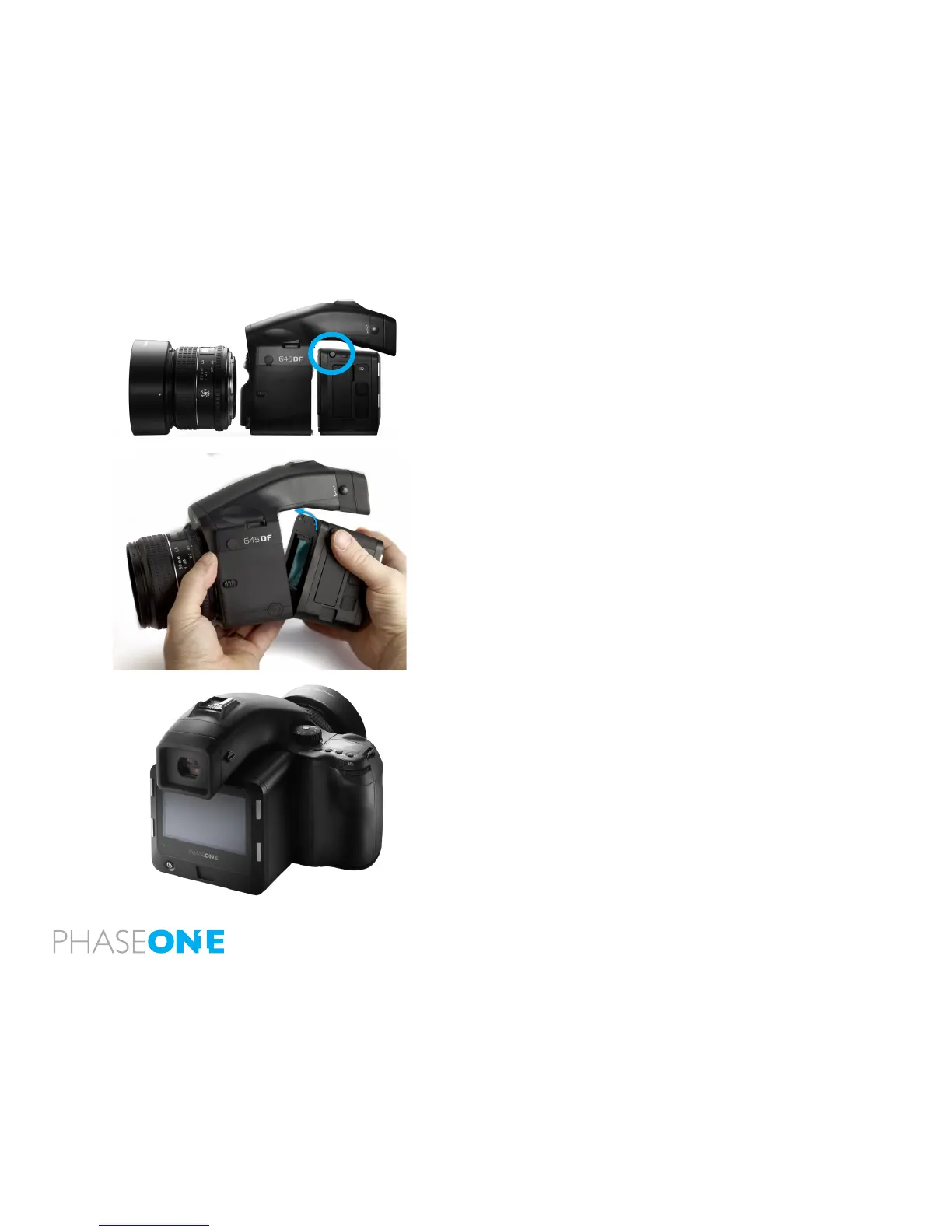
1. Place the bottom of the IQ back in the locking mechanism.
2. Press the button (circled above left) with your thumb and lever the back
into place.
3. Release the button to lock into position.
Failure to perform this proceedure properly can cause an error with the camera
body where the shutter will continuously open and close. If this occurs, remove
the IQ back and follow steps 1 to 3 again.



 To Next Page