67
6.7 Delete in Thumbnail View
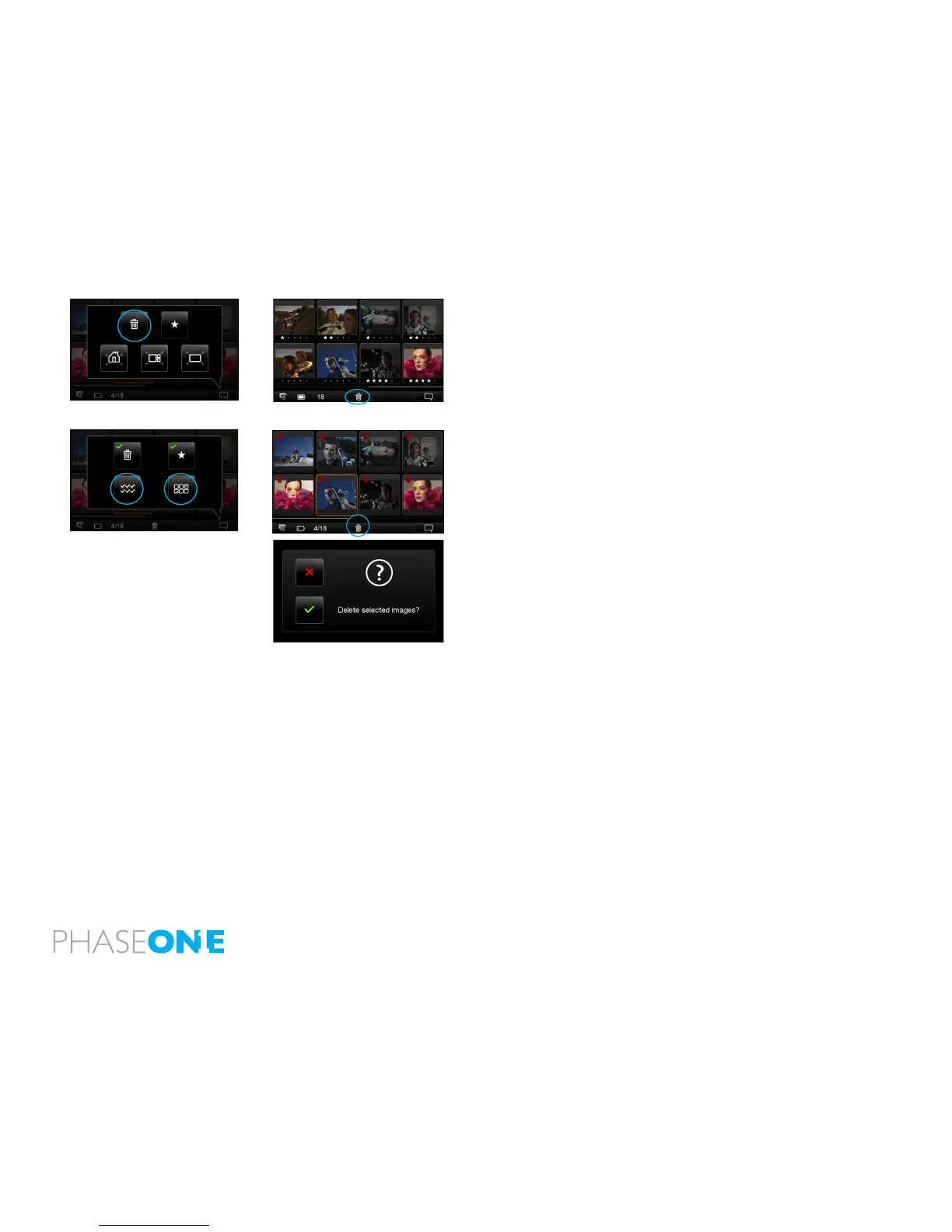
Select the trash icon to Delete images in the Thumbnail View. A trash icon
will appear in the Info Bar at the bottom of the page. Tap each individual
thumbnail that you want to delete. (A small red trash icon will appear in
the top left corner of the thumbnail). Conrm that you want to delete the
selected thumbnails but tapping the white trash icon at the bottom of the
page.
Press the Context menu once the Delete option has been selected. Select
the option below the trash icon to select all images les. (A red trash icon will
appear in each thumbnail). Press the option below the star icon to deselect
all the images.
If all the selected images have been selected, press the white trash icon at
the bottom of the page. You will be asked to conrm that you want to Delete
all the selected images. Press the green check mark to permanently delete or
press the red cross to cancel.



 To Next Page