76
Date And Time
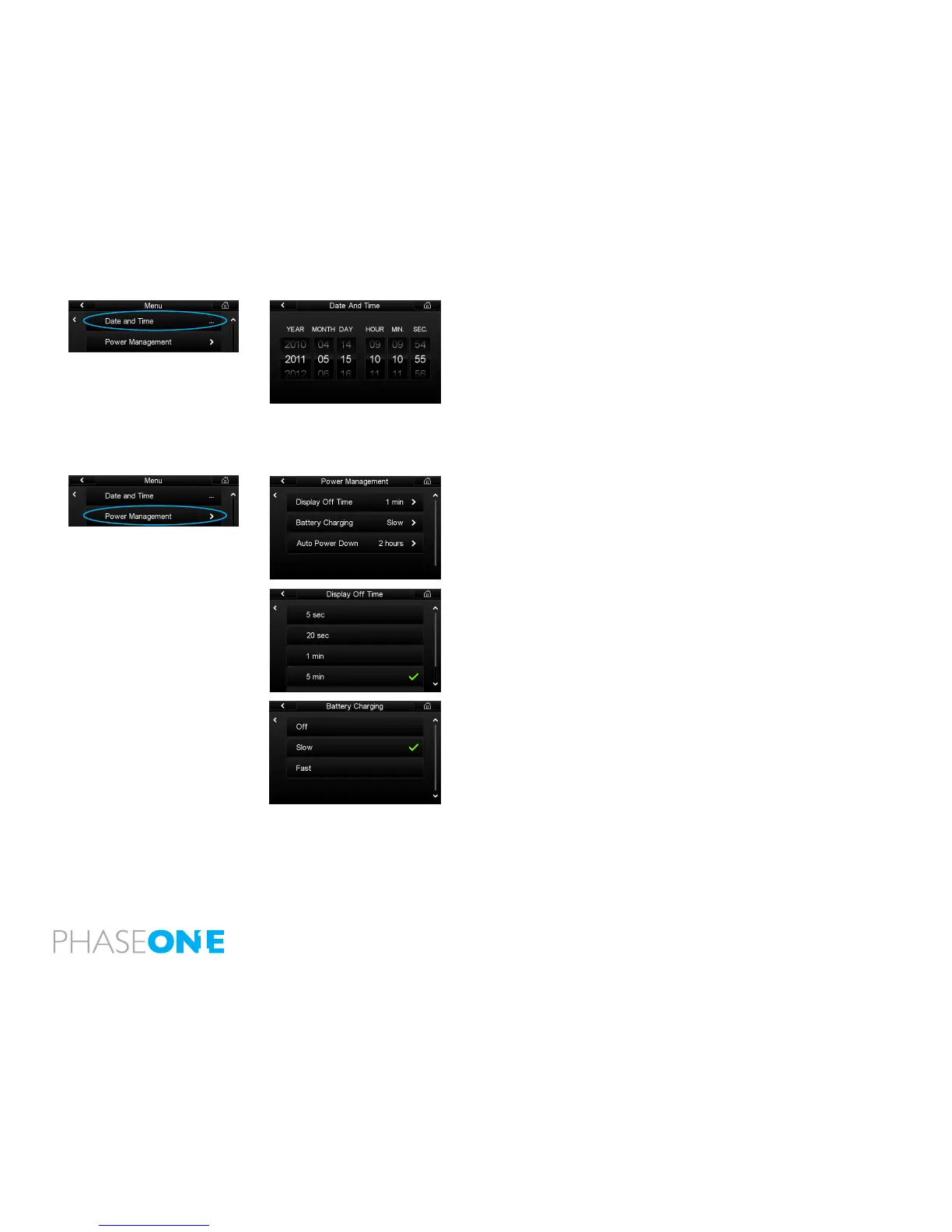
Set the Date and Time to your local time zone. The default Date and Time
is GMT+1. Tap the screen and scroll through the numbers to attain the
appropriate date and time. Tap the check mark icon, which will appear in the
bottom right hand corner of the screen to conrm your entry. The time and
date is applied to the EXIF data in all les captured with the IQ back.
If the IQ back has been without power for a long period of time, it will
automatically ask you to set the time and date on the next occasion it is
powered up.
Power Management
The Power Management Menu option has three criteria to help preserve
battery life and help keep operating temperatures low when working in hot
conditions.
Display O Time
Switch o the IQ’s screen after 5 seconds, 20 seconds, 1 minute, 5 minutes.
The display can also be set to remain permanently on while the IQ is in
operation with the Always On option.
Battery Charging
The IQ back has an integrated battery charger to ensure that the battery
is charged when shooting tethered via a USB or FireWire connection. This
function can be switched o or set to Slow or Fast. The Slow and O settings
should be chosen to preserve the battery life of a laptop when shooting
tethered.
N.B. The battery will only charge via a USB or FireWire connection when the
IQ back is switched on. Only after it has been switched on, will it continue to
charge when it is turned o. Battery charging is indicated by an orange LED
on the rear of the IQ back when it has been turned o.



 To Next Page