20
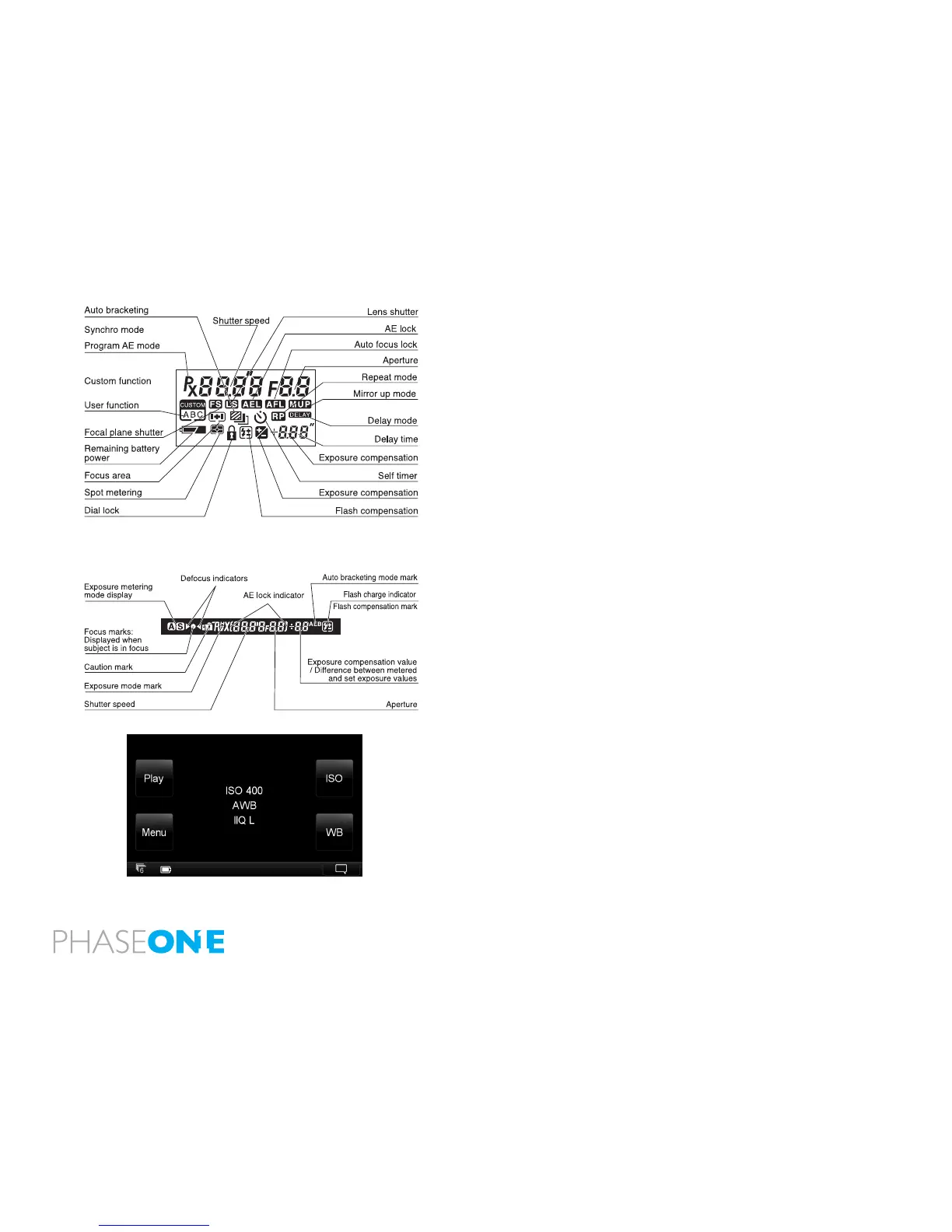
During actual use, only the relevant icons and indicators are displayed.
During actual use, only the relevant icons and indicators are displayed.
2.11 The Displays
The display on the camera body will provide you with a lot of valuable
information. This includes many features and settings including, but not limited
to shutter speed, aperture value, exposure program, exposure compensations
and metering modes. See the gure for full explanation.
Viewnder Display
The most relevant information regarding the capture can be read on the
bottom display in the viewnder along with the autofocus mark indicating
that the focus is correct.
Back Display
The touch screen on the of the IQ digital back is a multifunctional display,
where the menus change depending on the status and choices you make.
In addition to providing menu navigation, the display on the back can work
as a preview screen.
mode set



 To Next Page