EasyManua.ls Logo

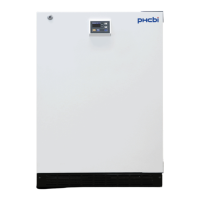
Phcbi MDF-U5412 - User Manual

Phcbi MDF-U5412
44 pages
Print Icon
To Next Page IconTo Next Page
Loading...
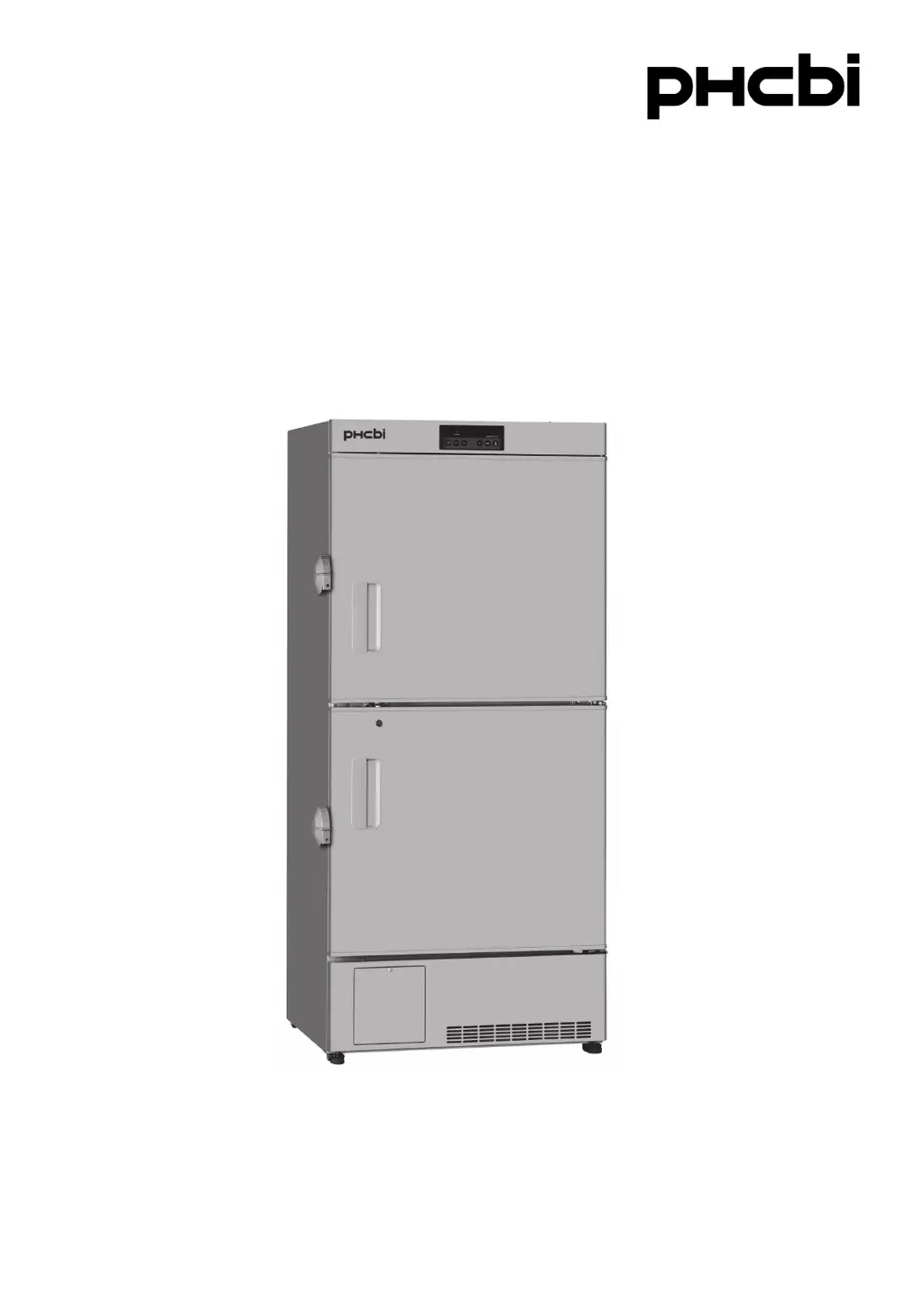
MDF-U5412
Please read the operating instructions carefully before using this product, and keep the operating
instructions for future use.
See page 39 for model number.
Operating Instructions
Biomedical Freezer

Questions and Answers

  • G
    Gina JacksonSep 2, 2025
    What to do if my Phcbi Laboratory Equipment chamber does not get cold enough?
    • J
      Jason NashSep 2, 2025
      If the chamber isn't getting cold enough, consider these possible causes: * Reduce the amount of items stored inside or allow warm items to cool before placing them in the chamber. * Limit how often the door is opened. * Lower the chamber temperature setting. Also, relocate the unit away from direct sunlight and ensure it's installed according to the operating instructions, with no blocked ventilation or nearby heat sources. Verify that the ambient temperature is within the allowable range (between 5 oC and 30 oC). Cover the access port when not in use, and remove any foreign substances between the door gaskets. If the door seal is damaged, contact a sales representative or agent for replacement.
  • R
    Ryan FernandezAug 31, 2025
    What to do if the alarm device is activated during operation of my Phcbi Laboratory Equipment?
    • J
      John GonzalesAug 31, 2025
      If the alarm activates during operation, several factors could be the cause. First, check the power supply connection and ensure it meets the required specifications. Also, verify there isn't a power outage or a tripped circuit breaker, and that the fuse isn't blown. If power isn't the issue, check the chamber temperature setting and make sure the door isn't open or hasn't been opened for an extended period. Remove any containers with high temperatures from the chamber. Finally, ensure the door is properly closed.
  • D
    donna82Aug 29, 2025
    What to do if Phcbi Freezer returns to temperature display mode during setting?
    • B
      benjaminsanchezAug 29, 2025
      The unit is equipped with an auto-return function. It will automatically return from setting mode to temperature display mode after 90 seconds if no key is operated.
  • C
    Crystal HarrisonAug 28, 2025
    How to unlock Phcbi Freezer key operation?
    • S
      Sophia Hampton PhDAug 28, 2025
      If no key operation is available, the key lock might be set to ON (L 1). To enable key operations, set the key lock to OFF (L 0).
  • A
    Amber GonzalezAug 27, 2025
    Why is my Phcbi Freezer making excessive noise?
    • L
      Lisa FieldsAug 27, 2025
      Excessive noise can be attributed to a few reasons: the floor may not be stable, the installation site might not be level, or the freezer could be tilted. Also, check if the cabinet is touching the surrounding wall.
  • A
    Amanda UnderwoodAug 25, 2025
    What to do if Phcbi Freezer isn't operating even when plugged in?
    • M
      Matthew SullivanAug 25, 2025
      If your unit isn't operating, verify that it's properly connected to the power supply. Also, check that the power supply's capacity and voltage are adequate. A power failure, a tripped circuit breaker on the supply circuit, or a blown fuse could also be the cause.
  • E
    Elizabeth MorganAug 23, 2025
    Why is my Phcbi Freezer not cold enough?
    • T
      Terry MckinneyAug 23, 2025
      Several factors can impact the cooling performance of your freezer. Avoid placing warm materials inside and minimize how often you open the door. Ensure the temperature setting isn't too high. Direct sunlight, improper installation, blocked ventilation, or nearby heat sources can also affect cooling. The ambient temperature should be between 5°C and 30°C. Avoid overfilling the chamber and ensure the access port is covered with insulation and rubber caps when not in use. A damaged door seal or foreign substances between the door gaskets may also be the cause. If the door seal is damaged, contact our sales representative or agent for replacement.

Summary

Operating Instructions

Biomedical Freezer MDF-U5412

Model designation for the biomedical freezer.

INTRODUCTION

Important Notices

Contains warranty conditions and liability limitations for product use.

PRECAUTIONS FOR SAFE OPERATION

Warning and Caution Symbols

Explanation of warning and caution symbols used in the manual.

General Installation Safety

Essential safety guidelines for unit installation location and electrical connections.

Operational and Maintenance Safety

Key safety measures during unit operation, maintenance, and power handling.

Moving and Battery Safety Guidelines

Precautions for moving the unit and safety measures for the power-failure alarm battery.

Environmental and Usage Cautions

Specific cautions regarding installation environment and material storage.

LABELS ON UNIT

Hazard Labels and Meanings

Description of danger labels found on the unit and their meanings.

SYMBOLS ON UNIT

Symbol Definitions

Meaning of symbols attached to the unit for user guidance.

ENVIRONMENTAL CONDITIONS

Intended Use and Precautions

Specifies the intended use for DNA/plasma storage and related precautions.

FREEZER COMPONENTS

Main Body Identification

Diagram and labeling of the main external and internal components of the freezer.

Component Descriptions

Detailed explanation of each numbered component of the freezer.

Control panel

Control Panel Functions

Detailed explanation of each button and display on the control panel.

INSTALLATION SITE

Site Requirements

Specifies ideal locations and environmental conditions for unit installation.

INSTALLATION

Installation Steps and Earthing

Procedure for securing, levelling, and properly earthing the unit.

START-UP PROCEDURE

Initial Unit Operation

Step-by-step guide for the initial power-on and setup of the freezer.

DURING;AFTER POWER FAILURE

Power Failure Handling

Procedure for checking unit status and alarms during and after power outages.

SETTING THE CHAMBER TEMPERATURE

Temperature Adjustment Guide

Instructions on how to set and adjust the desired chamber temperature.

LOCKING THE CHAMBER TEMPERATURE SETTING

Temperature Lock Function

Procedure to lock or unlock the chamber temperature setting to prevent accidental changes.

SETTING THE ALARM TEMPERATURE

High-Temperature Alarm Setting

How to configure the high-temperature alarm threshold for item protection.

Low-Temperature Alarm Setting

How to configure the low-temperature alarm threshold for item protection.

SETTING THE BUZZER SUSPENDED PERIOD

Buzzer Silence Duration

Procedure to set the duration for which the buzzer remains suspended after an alarm.

SETTING THE COMPRESSOR DELAY

Compressor Start Delay

How to adjust the delay time for compressor startup after power restoration.

REMOTE ALARM TERMINAL

Remote Alarm Connectivity

Information on connecting a remote alarm device and its contact output specifications.

ALARM FUNCTIONS

Alarm Types and Indications

Details on different alarm causes, indications, and remote alarm behavior.

SAFETY FUNCTIONS

Safety Function Overview

Description of auto-return, key lock, and battery switch safety features.

SELF-DIAGNOSTIC FUNCTIONS

Error Code Diagnosis

Explanation of self-diagnostic error codes and causes for unit malfunctions.

ROUTINE MAINTENANCE

Cleaning Procedures

Instructions for cleaning the exterior, interior, and accessories of the unit.

Checking Alarm Operation

Procedure to regularly test the functionality of the unit's alarm system.

Defrosting Procedure

Manual Defrosting Steps

Step-by-step guide for manual defrosting of the freezer.

CALIBRATION

Temperature Calibration Service

Information on performing annual temperature calibration and contacting service.

REPLACEMENT OF THE BATTERY

Power-Failure Alarm Battery Replacement

Guidance on the 3-year replacement cycle for the power-failure alarm battery.

TROUBLESHOOTING

Malfunction Checks and Remedies

Troubleshooting guide for common unit malfunctions and their solutions.

DISPOSAL OF UNIT

Battery Recycling and Disposal

Information on the recyclability of the unit's rechargeable battery and proper disposal methods.

Unit Decontamination Procedure

Procedure for decontaminating the unit before disposal, especially with biological hazards.

European Disposal Regulations

Details on disposal of electrical equipment and batteries in EU countries.

TEMPERATURE RECORDER (OPTIONAL)

Recorder Specifications

Main specifications for optional temperature recorders MTR-G85C and MTR-4015LH.

SPECIFICATIONS

Technical Specifications

Comprehensive list of technical data, dimensions, materials, and components.

PERFORMANCE

Performance Data

Details on cooling performance, temperature range, power, and noise levels.

Safety check sheet

Pre-Service Safety Checklist

Form to be filled before servicing for engineer and user safety, covering contents and contamination.

Phcbi MDF-U5412 Specifications

General IconGeneral
BrandPhcbi
ModelMDF-U5412
CategoryLaboratory Equipment
LanguageEnglish

Related product manuals