PHILIPS 4000 and 3000 03 BRIEF INSTRUCTIONS
9/13
Insert the brew group.
Empty the coffee grounds drawer.
Fill the coff ee bean hopper with coff ee beans and restart the brewing
cycle. The light turns off when the brew button of the selected product is
pressed.
It is possible to dispense steam and hot water when this
warning message appears.
You need to descale the machine. Follow the steps described in the
“Descaling” chapter of this manual.
Please note that not descaling your machine will ultimately make it stop
working properly. In this case repair is NOT covered under your warranty.
Your machine is out of order.
Turn off the machine. Turn it back on after 30 seconds.
Repeattheprocedure2or3times.Ifthemachinedoesnotstart,contact
the Philips hotline in your country (contact details in the warranty booklet).
Steady on
Flashing
Steady on
Steady on
Alllightsashingsimultaneously
Flashing slowly
The coffee grounds drawer is not inserted into the machine.
Wait a few seconds until the “ ” light turns off and the “ ” light shines
steadily. Then insert the coffee grounds drawer and close the service door.
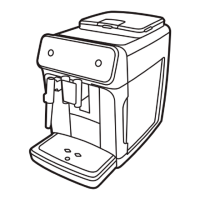
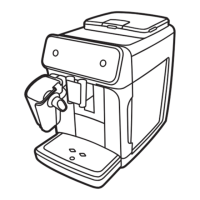
3.5. Customer menu in the Philips 3000 CMF
Steam button
Espresso
brew button
ON/OFF button
Coffee brew button
No water light
Empty coffee grounds
drawer light
No coffee light
General warning light
Descaling button
Rinse cycle light
Hot water
button
Descaling cycle light





 To Next Page