PHILIPS 4000 and 3000 04 OPERATING LOGIC
9/10
4.6. Waterleveldetection(watertank)
“Water low” message (water reserve)
Function:
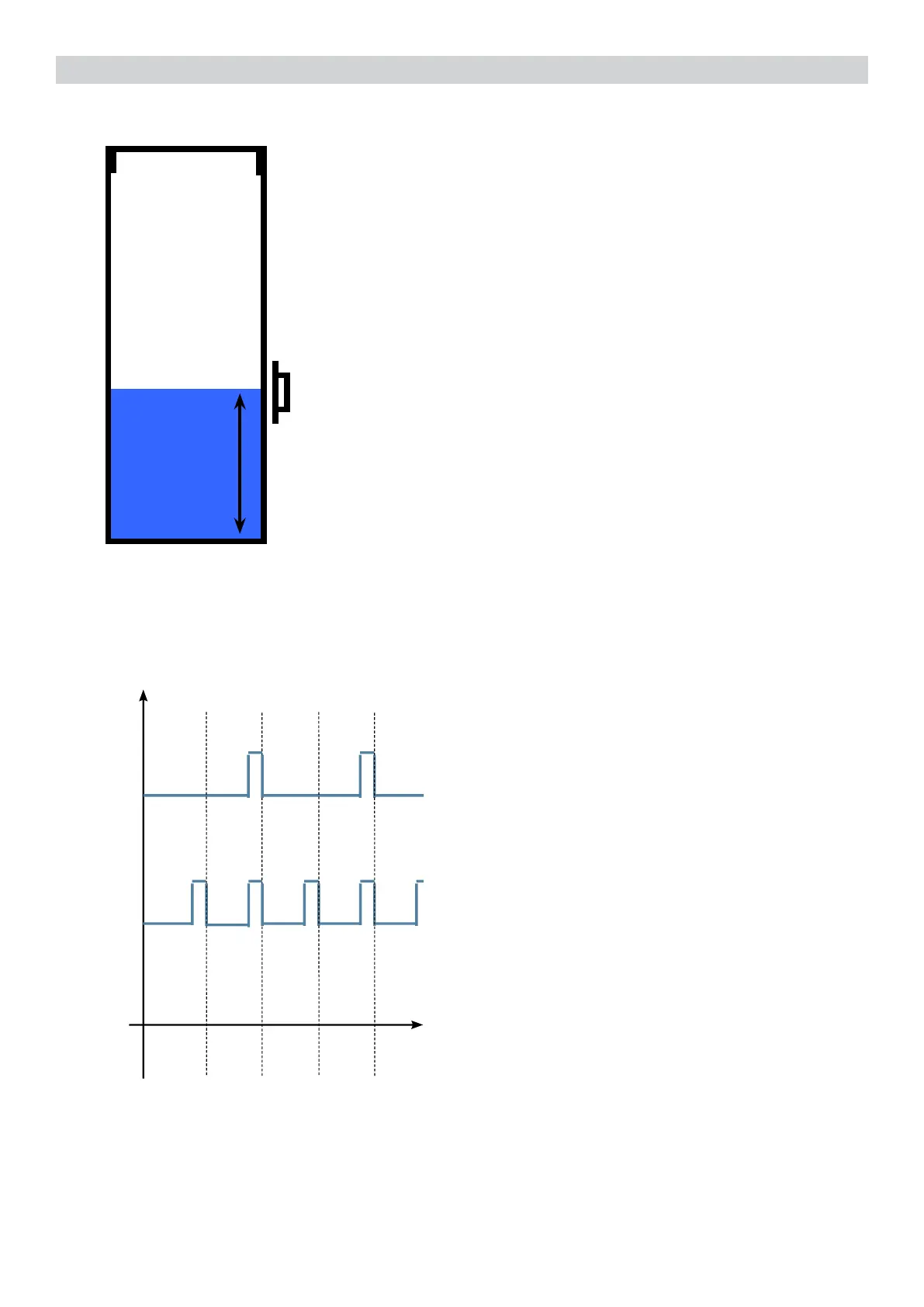
Thewaterlevelismonitoredbyacapacitativesensor,locatedone
third of the way up the water tank wall.
Iftheelectronicsassemblydetects,bymeansofthesensor,
that the amount of water in the tank has dropped below the
abovementionedlevel,awaterreserveremainsavailablefor
thedispensingprocessunderway(thiswillcover200owmeter
pulses).
The product dispensing process will then come to an end.
If a dispensing cycle ends after the sensor has been triggered (in
the reserve) then the display “Water low” continues to be displayed
during the following dispensing cycle.
200 puls.
Sensor
Water tank
“Descaling”–messagewithwaterlter
inserted
(appliances with display only)
The water hardness is set on the basis of the
regional water hardness analysis
(1,2,3,4).
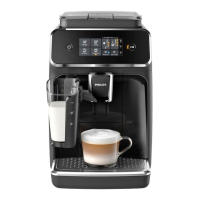
Filter off:
If the function is turned o the electronics
assemblymonitorstheowmeterpulses,
recording one pulse each turn.
Filter on:
If the function is turned on the electronics
assemblymonitorstheowmeterpulses,
recording one pulse every two turns.
“Changewaterlter”message
Theelectronicsassemblyusestheowmeter
impulses to keep track of the amount of water
whichhasowedthrough;afterthespecied
amount (set in accordance with the water
hardnesslevel),the“Replacelter”message
appears.
4.7. Descaling request
360°
1 rev
Number of pulses
Filter
on
Filter
off
Flow meter pulses








 To Next Page