27
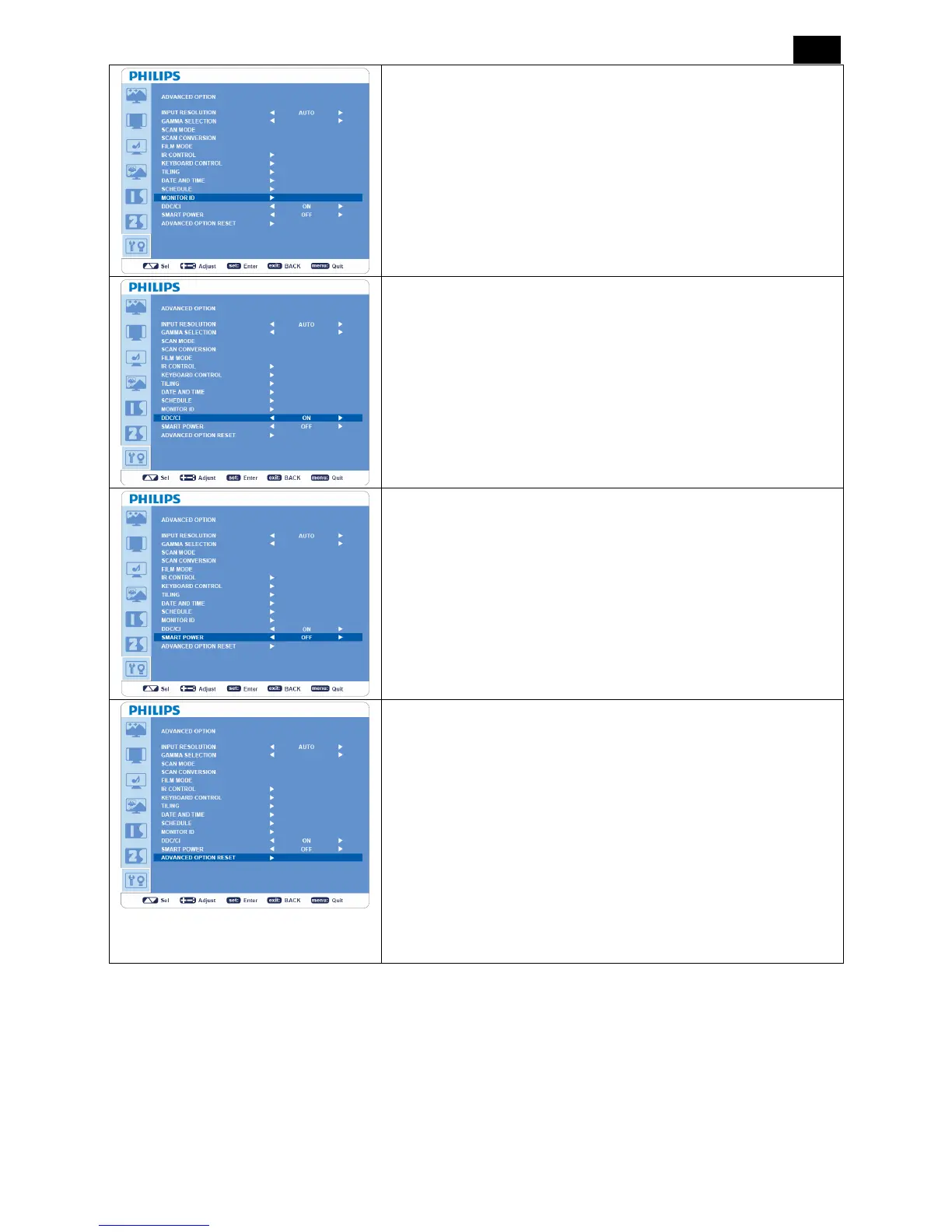
MONITOR ID
y ID numbers for remote control are assigned to BDL3215E /
BDL4225E monitors that are multi-connected via RS-232C.
y ID numbers 1 to 26 are selectable.
DDC/CI
Turns “ON” or “OFF” the DDC/CI communication function. Selects
“ON” for normal use.
SMART POWER
y Selecting “SMART POWER” allows you to choose a certain level
of power saving condition.
y Selects “OFF” to set the system in normal power condition.
y Select “MEDIUM” to set the system in medium level power saving
status.
y Select “HIGH” to set the system in high level power saving status.
y Press “EXIT” button to cancel and return to the previous menu.
ADVANCED OPTION RESET
y Selecting “ADVANCED OPTION RESET” allows you to reset all
OSD settings from “ADVANCED OPTION” menu, except for
GAMMA SELECTION, “DATE AND TIME”, “SCHEDULE,
MONITOR ID”, and “DDC/CI”.
y Selects “YES” and press “SET” button to restore the factory
preset data.
y Press “EXIT” button to cancel and return the previous menu.
y “GAMMA SELECTION” is reset when “PICTURE RESET” in
“PICTURE” menu is carried out.












 To Next Page