Assigning the VCR Plus+ ®Guide channel
numbers
If you intend to use the VCR Plus+ ® programming system, you must first assign Guide channel
numbers to the TV channels
3
4
5
6
7
8
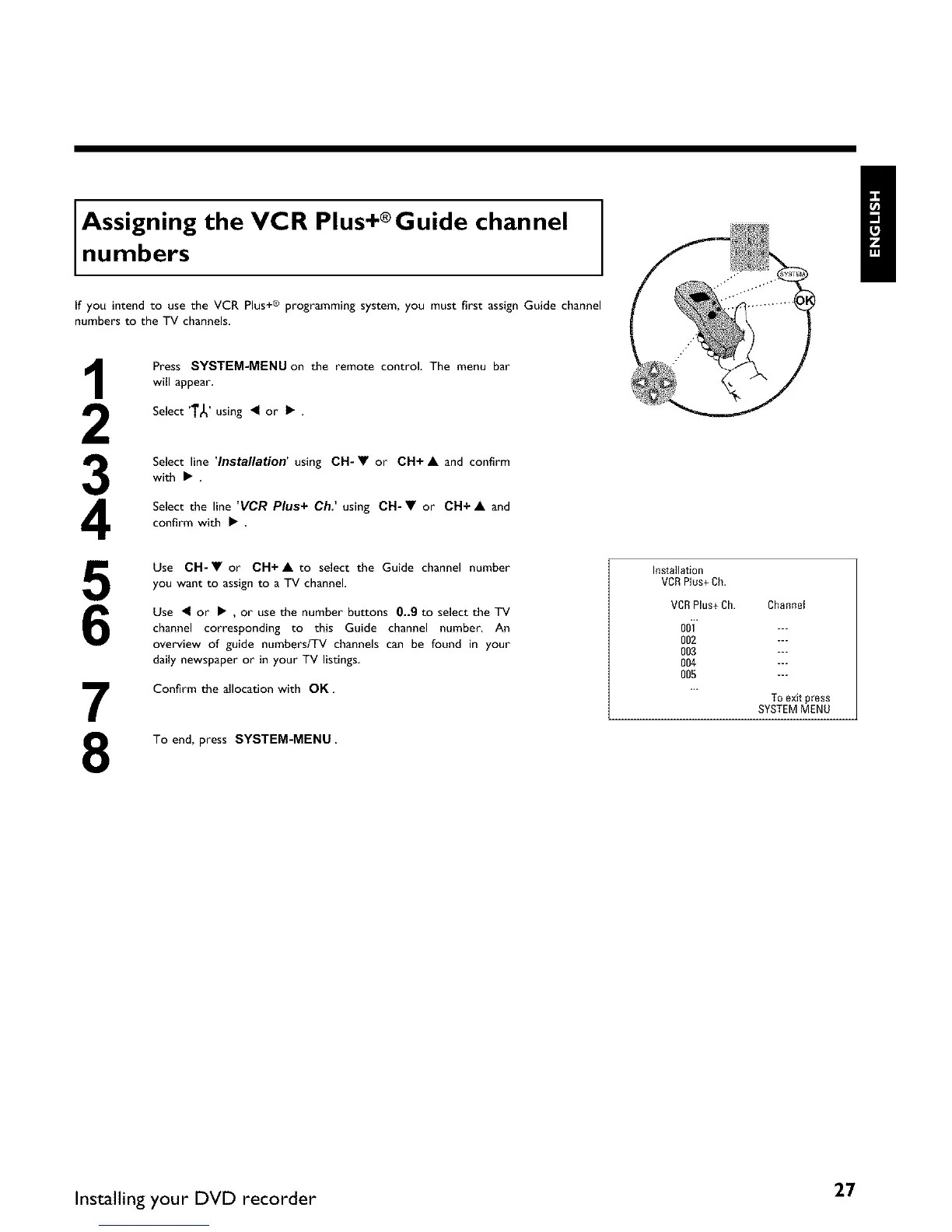
Press SYSTEM-MENU on the remote control. The menu bar
will appear.
Select '1"_' using • or • .
Select line 'Installation' using CH-• or CH+ • and confirm
with •.
Select the line 'VCR Plus+ Ch: using CH-• or CH+ • and
confirm with • .
Use CH-• or CH+• to select the Guide channel number
you want to assignto a TV channel.
Use • or • , or use the number buttons 0_9 to select the TV
channel corresponding to this Guide channel number. An
overview of guide numbers/TV channels can be found in your
daily newspaper or in your TV listings
Confirm the allocation with OK.
To end, press SYSTEM-MENU
Installati0n
VCR Plus+ Ch.
VCRPlus+ Ch. Channet
ooi ---
002 ---
003 ---
004 ---
005 ---
To exit press
SYSTEM MENU
Installing your DVD recorder 27















 To Next Page