111EN
Function Setup VCR FunctionsEditingPlaybackRecording
Basic Setup
ConnectionsIntroduction
Others
Frequently Asked Questions
TROUBLESHOOTING
– Can I record to CD-RW/-R? No, this unit records only DVD.
– Can I play back DVD-video that is bought in another
country?
Possible when the region code of the disc is 1 and All.
– Can I connect the unit to my PC? No, you cannot control the unit by PC.
– Can I program a timer recording with cable/satellite
box?
Yes, you can. Select “E1” or “E2” as your recording
channel, and leave the cable / satellite box on (pages 17,
42-45).
– Can I record one channel while watching another
channel using a cable / satellite box?
It depends on your connection configurations. For
more details, please kindly contact your cable / satellite
provider.
– Can I connect this unit directly to a TV which only has
an antenna in jack using an RF coaxial cable?
No. You need an RF modulator (commercially available)
to connect this unit to a TV which only has an antenna in
jack (page 16). This unit does not have an RF modulator.
– Can I change the channels on the cable / satellite box
using the remote control of this unit?
No. Changing the channels on the cable / satellite box
using this unit’s remote control is not possible. You
need to use the remote control supplied with the cable /
satellite box to change the channels on the cable / satellite
box.
DVD
D GITAL
AUDIO OUT
AUD O
OUT
S V DEO
OUT N
COAXIAL
L
R
L
Y
P
B
/CB
PR
/CR
R
L
R
OUT
IN
S V DEO IN AUD O OUT
IN VID O OUT
COMPONENT
V DEO OUT
DVD/VCR
ANTENNA
HDMI OUT
1
2 4 53 6
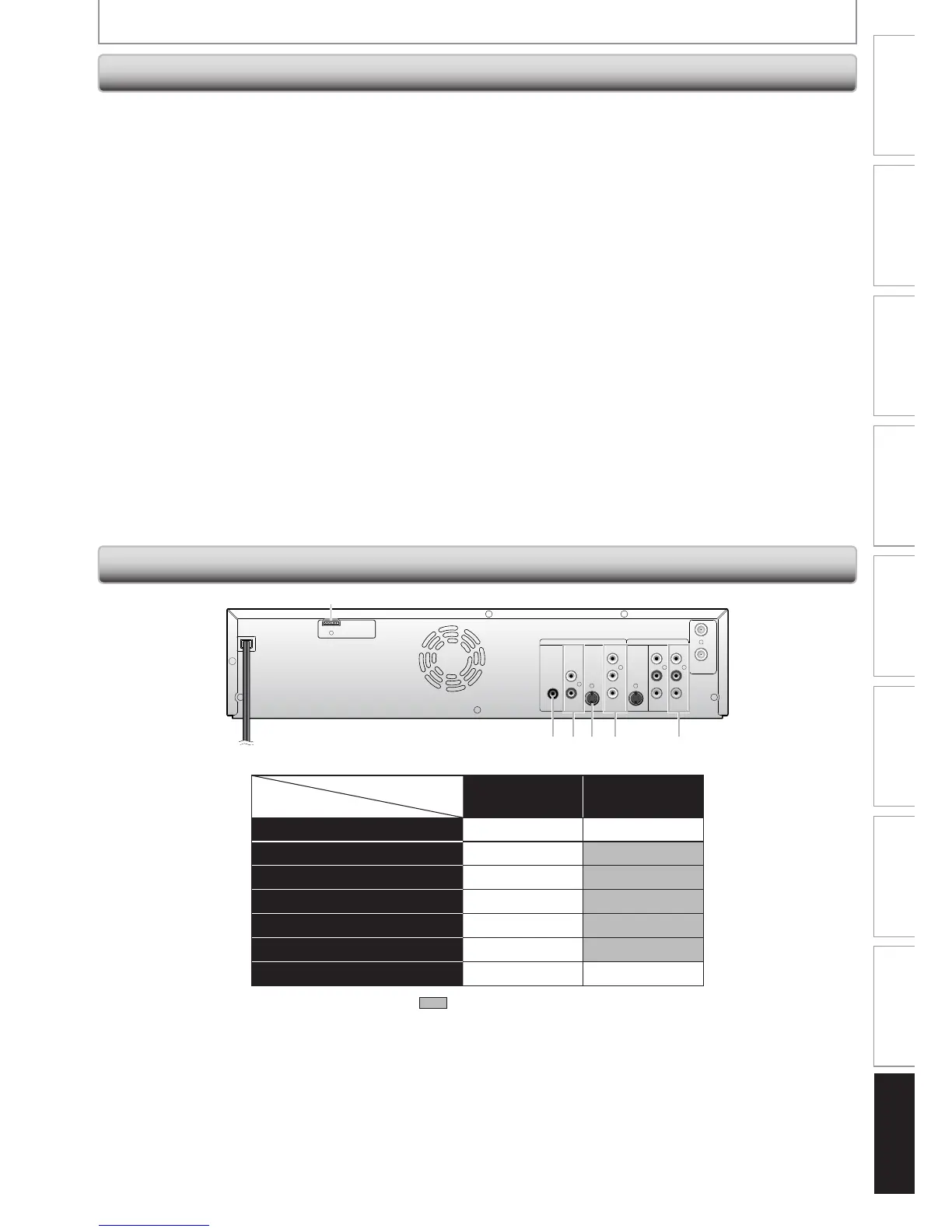
Note for Output Jacks on the Rear Panel
✔ : Available : Not available
Available for
DVD mode only VCR mode
Output Jacks
1
(HDMI OUT)
✔✔
2 (COAXIAL DIGITAL AUDIO OUT)
✔
3 (AUDIO OUT)
✔
4 (S-VIDEO OUT)
✔
5 (COMPONENT VIDEO OUT - interlace)
✔
5 (COMPONENT VIDEO OUT - progressive)
✔
6 (AUDIO/VIDEO OUT)
✔✔














 To Next Page