25EN 25EN
Connections
Basic Setup
Recording Playback EditingIntroduction Function Setup VCR Functions
Others
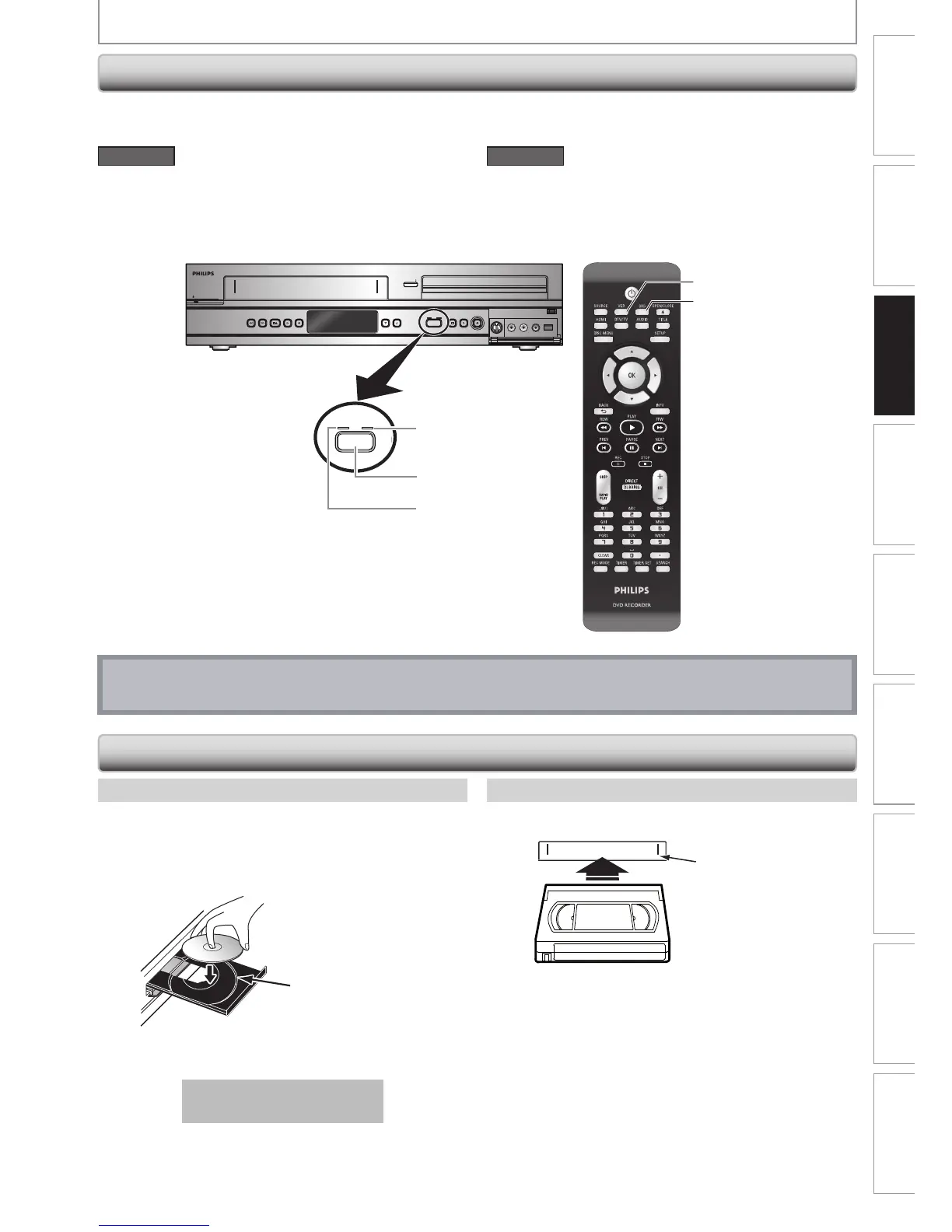
Because this product is a combination of a VCR and a DVD recorder, you must select first which component you wish
to operate.
DVD RECORDER
4 HEAD HI FI STEREO
O E TOU H REC RD NG • L NG PL Y
DVD RECORDER / VCR DVDR 354 V
ST NDBY ON
REW F W D P AY L YR CS O / J CT S OP
R C
C AN EL
SO RCE
CR D D
OP NC OS
V I EO L AU IO R DV
DVD indicator
VCR indicator
SOURCE button
VCR button
DVD button
DVD mode
Press [SOURCE] on the front panel, or press [DVD] on the
remote control.
(Verify that the DVD indicator is lit.)
VCR mode
Press [SOURCE] on the front panel, or press [VCR] on the
remote control.
(Verify that the VCR indicator is lit.)
Note
• You cannot switch the mode while in the timer-standby mode.
1) Press [OPEN/CLOSE A] to open the disc tray.
2) Place the disc on the disc tray with its label side
facing up.
Align the disc to
the disc tray guide.
3) Press [OPEN/CLOSE A] to close the disc tray.
It may take a while to load
the disc.
To eject the disc:
Press [OPEN/CLOSE A] to open the disc tray, then
remove the disc before turning off the unit.
1) Insert a cassette tape as illustrated below.
4 HEAD H -FI STEREO
O E OU H R C RD G ONG L Y
Cassette compartment
• Insert from the flap side first with the window side
facing up.
To eject the cassette tape:
Press [STOP/EJECT C A] on the front panel or press
[OPEN/CLOSE A] on the remote control.
How to Insert a Disc How to Insert a Cassette Tape
How to Insert a Disc / Cassette Tape
Switching DVD / VCR Mode
BEFORE YOU START














 To Next Page