ErgoLine D330/D340
Customer Engineer Manual
Page 2-40
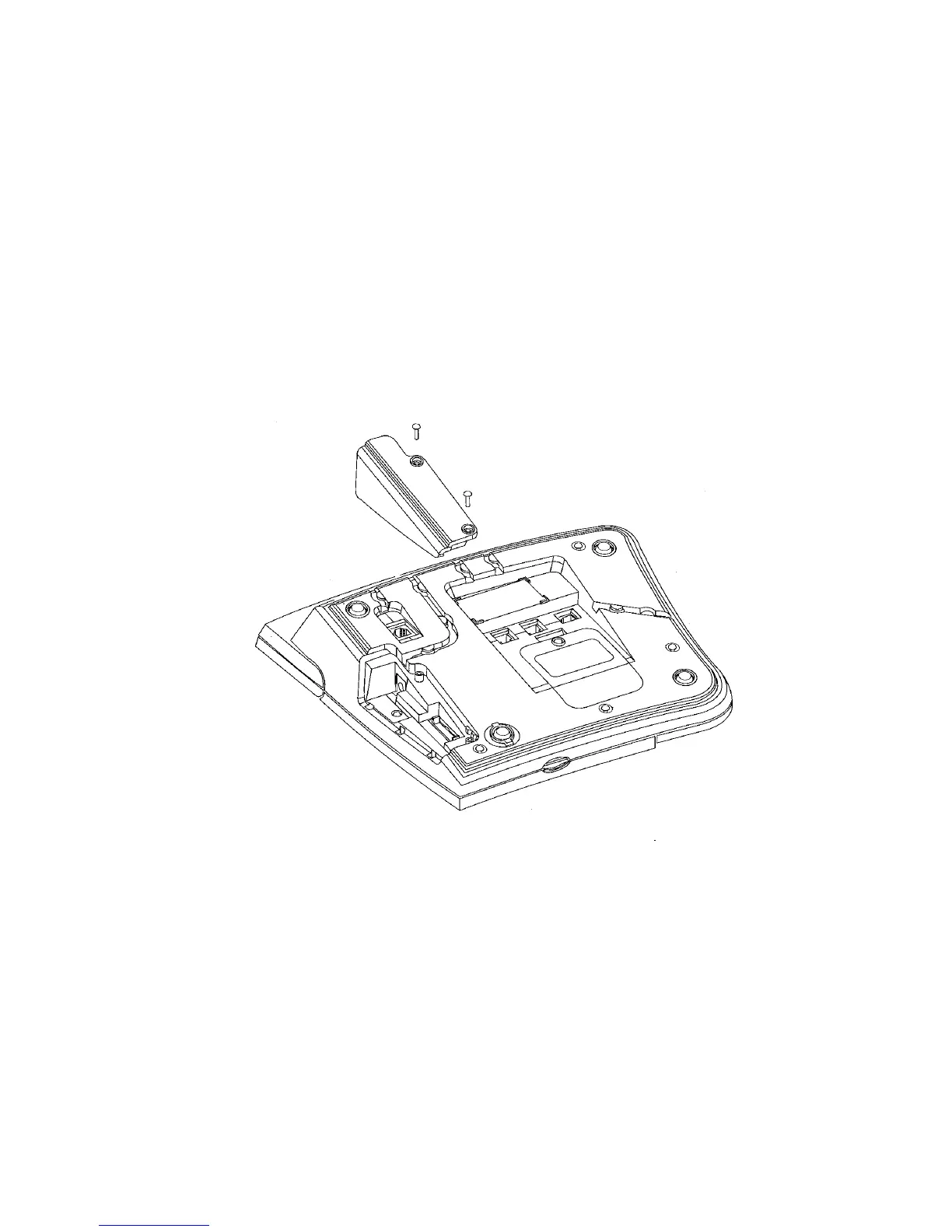
Installing the Direct Station Select (DSS) Options
Up to three DSS options can be added to an ErgoLine D340 terminal.
To install DSS options, proceed as follows:
Note
: The DSS module requires an external power supply to be fitted.
WARNING
: Do not fit the DSS module when line or external power is
connected.
1. Turn the ErgoLine terminal upside down.
2. Remove the line cord (if connected).
3. Remove the DSS/DSS cover from the base of the terminal by removing the
screws.
F
IGURE
2-8. I
NSTALLING THE
DSS O
PTIONS
4. Remove the external power supply if fitted.
5. Plug the DSS option into the slot in the base of the terminal or to the existing
DSS.
6. Fit the external power supply, routing the cable in the slot in the base.
7. If no further DSS modules are to be fitted, place the cover on the DSS module
and secure it with the screws.
8. Secure the DSS to the bottom case using the two screws provided.



 To Next Page