Cleaning Cleaning instructions
52
4522 207 12671/ * 2021-06-17
Pathology Scanner SG20 / SG60 / SG300
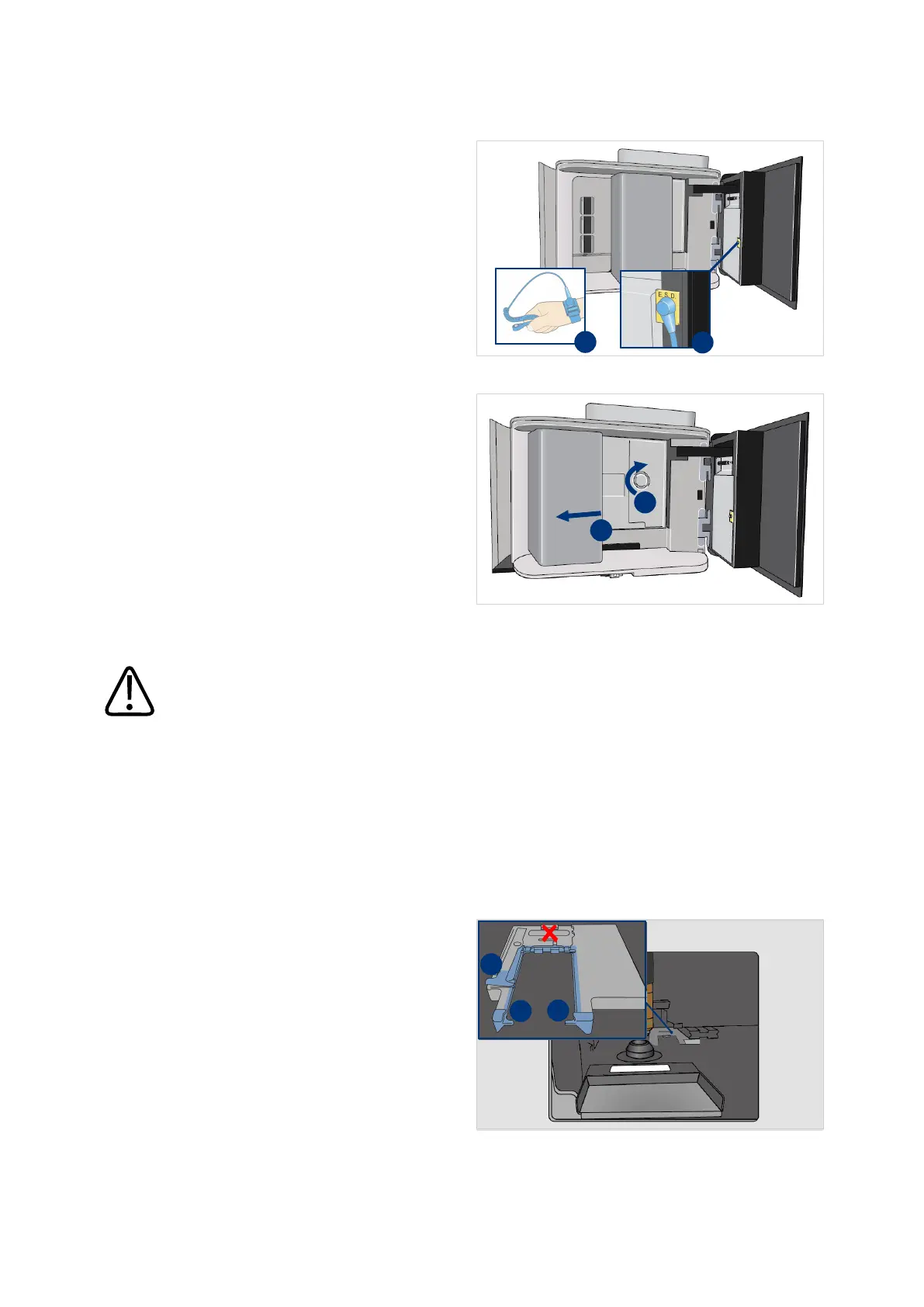
11. Attach the antistatic wristband to
your wrist (I).
12. Tighten the wristband.
13. Connect the cable to the ESD
bonding point (II).
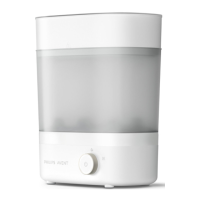
14. Carefully push the handler to the
left (I).
15. Use the shutter knob to open the
shutter completely (II).
Using a light force is required to
open the shutter.
CAUTION
Carefully clean the stage to prevent damaging the scanner.
Do not use force to clean the stage. If there are wax particles or if there is mounting media
which is difficult to remove, please contact Philips for advise on how to proceed.
NOTICE
Make sure your fingers do not touch the stage. This can cause corrosion.
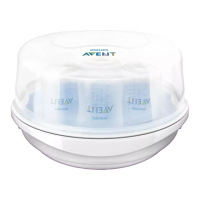
16. Use a 150 mm long dry microfiber
swab to clean the stage:
– 2 notches (I)
– clamp (II)
Do not touch the calibration target
(X).
18. When the stage is still polluted, use
a 150 mm long microfiber swab
dampened with cleaning liquids.
Only remove wax and/or mounting
media that can be easily removed.


 To Next Page