Troubleshooting Troubleshooting procedures
82
4522 207 12671/ * 2021-06-17
Pathology Scanner SG20 / SG60 / SG300
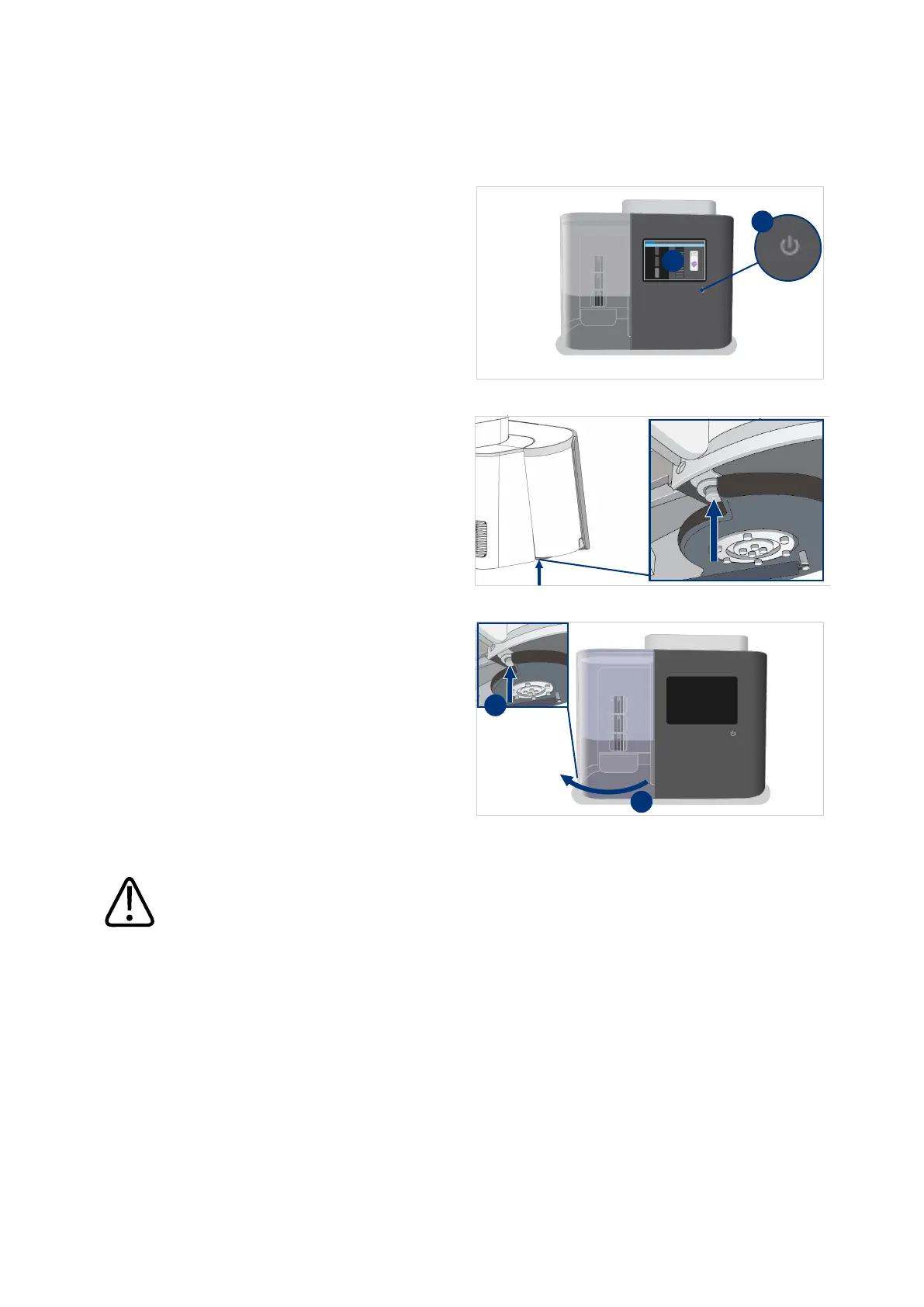
Remove slide from gripper
1. On the scanner, select the power
button (I).
2. In the confirmation window, select
Yes to shut down the scanner (II).
3. Wait for the power button LED to
turn off.
4. Push the pin of the store door lock
on the bottom of the scanner.
5. Hold the pin (I ) while you open the
store door (II).
CAUTION
Broken slides and/or glass splinters can be present in the scanner. To prevent cuts or glass
splinters entering the skin, take appropriate precautions when solving the problem.



 To Next Page