Troubleshooting procedures Troubleshooting
75
4522 207 12671 * 2021-06-17
Pathology Scanner SG20 / SG60 / SG300
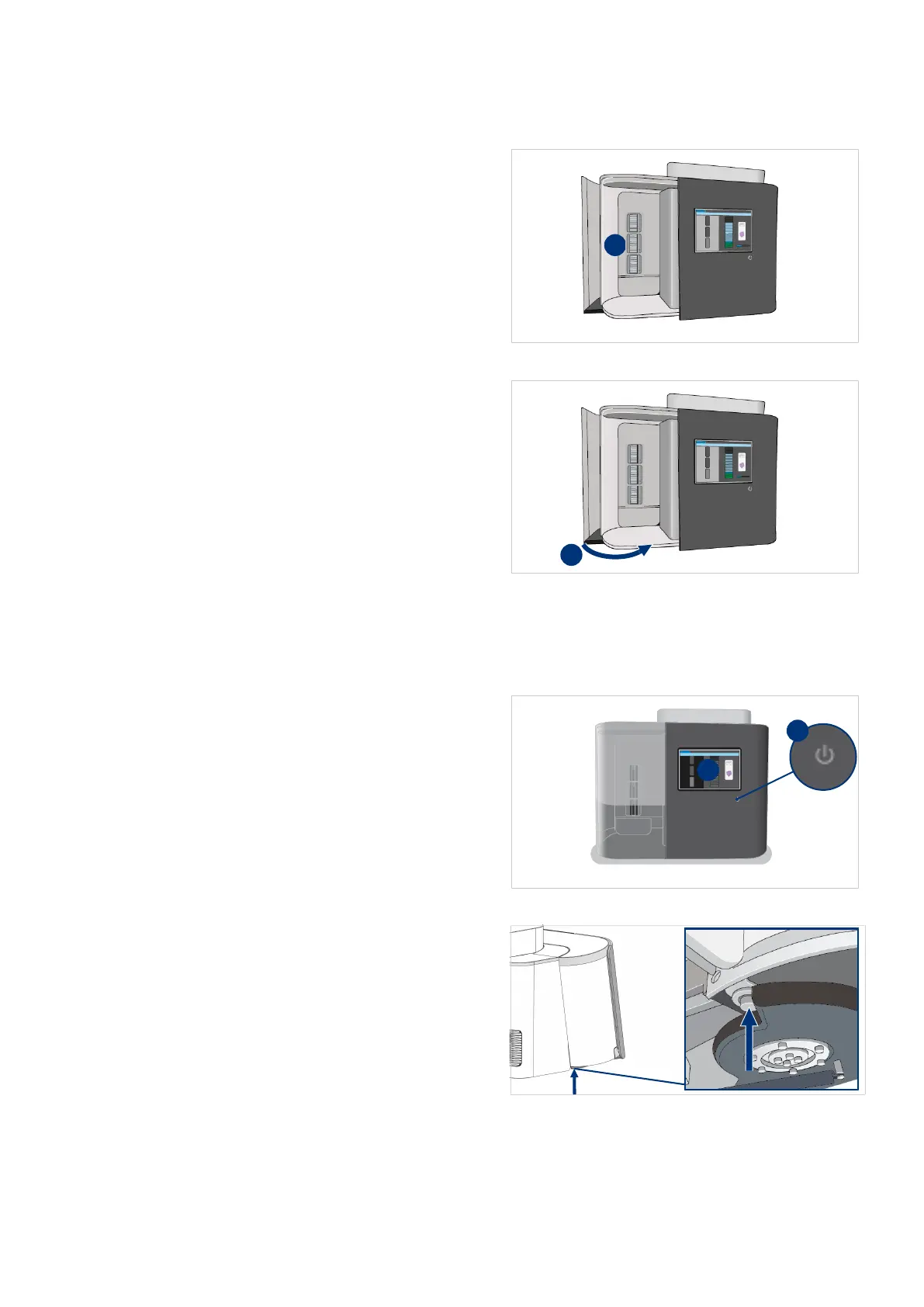
3. Check for slides sticking out of the
store.
4. Make sure that all slides are placed
in the racks as far as possible.
5. Close the store door.
In a few seconds the scanner starts automatically or continues with the scanning process.
Check handler and grippers
1. On the scanner, select the power
button (I).
2. In the confirmation window, select
Yes to shut down the scanner (II).
3. Wait for the power button LED to
turn off.
4. Push the pin of the store door lock
on the bottom of the scanner.



 To Next Page