Troubleshooting procedures Troubleshooting
87
4522 207 12671 * 2021-06-17
Pathology Scanner SG20 / SG60 / SG300
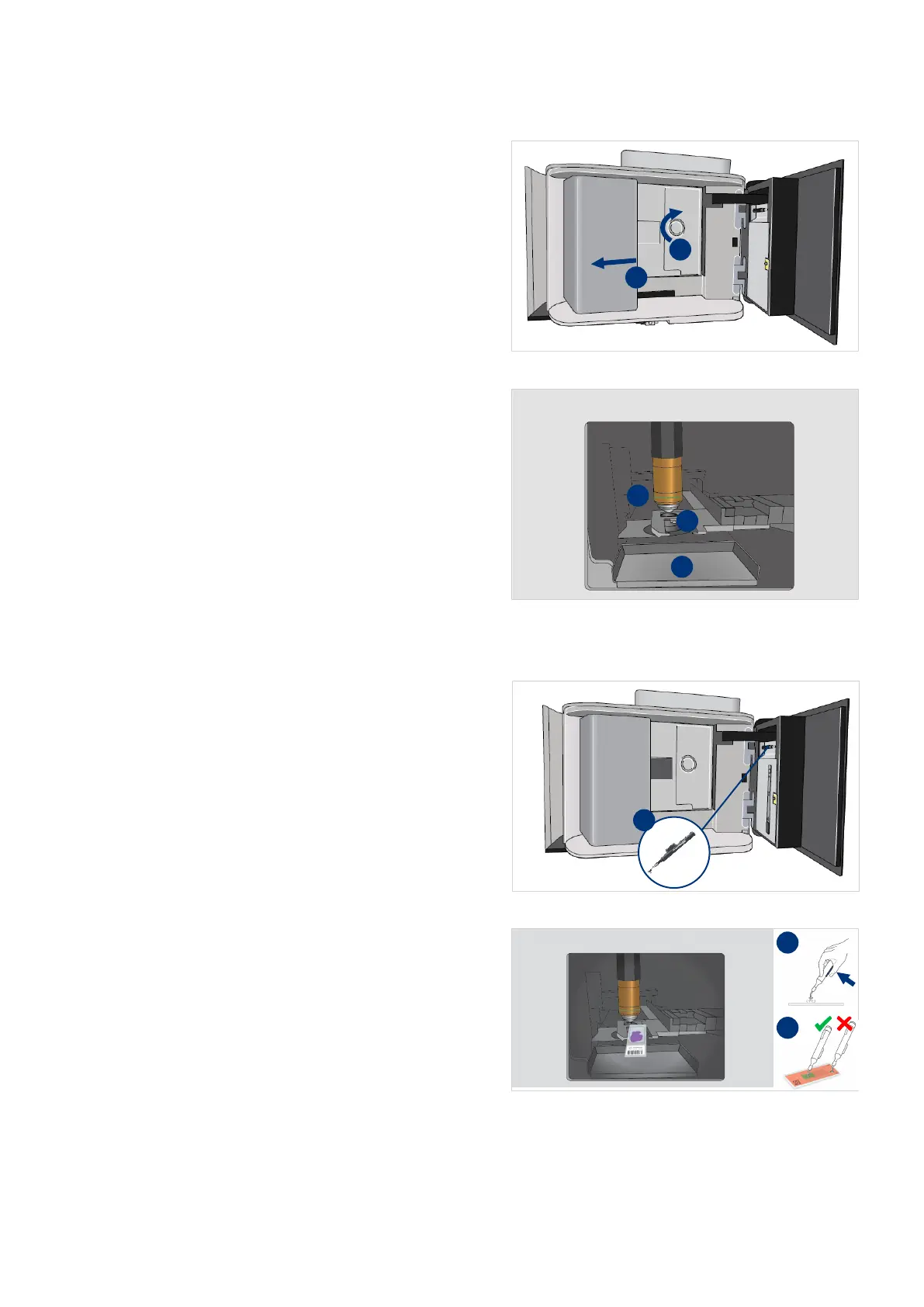
8. Carefully push the handler to the
left (I).
9. Use the shutter knob to open the
shutter completely (II).
Using a light force is required to
open the shutter.
10. Check for slides lost in the catch
tray (I), on the stage (II) or stage
area (III)
Remove the slide from the stage
11. Take the slide pick-up tool from
the maintenance door (I).
12. Hold the button while placing the
pointer of the pick-up tool on the
slide.
Make sure to place the pointer in
the center of the slide.



 To Next Page