Troubleshooting procedures Troubleshooting
89
4522 207 12671 * 2021-06-17
Pathology Scanner SG20 / SG60 / SG300
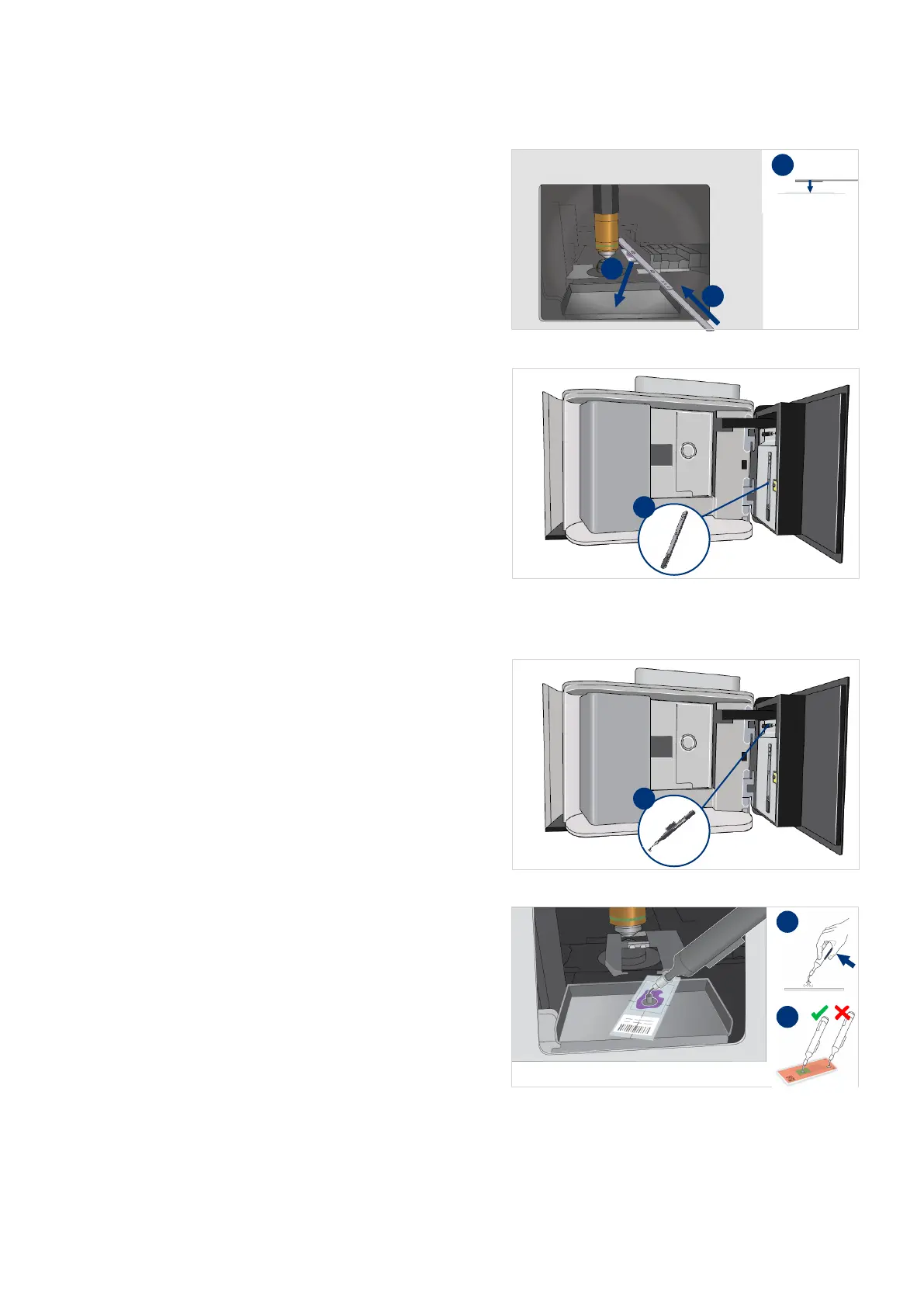
22. Carefully move the retrieval tool
above the slide in the stage area.
Make sure not to touch the parts
inside the scanner.
23. Place the tip of the retrieval tool
on top of the slide.
24. Carefully pull the slide into the
catch tray.
25. Close the slide retrieval tool.
26. Place the slide retrieval tool in the
maintenance door.
Remove the slide from the catch tray
27. Take the slide pick-up tool from
the maintenance door (I).
28. Hold the button while placing the
pointer of the pick-up tool on the
slide.
Make sure to place the pointer in
the center of the slide.



 To Next Page