© PSI (Photon Systems Instruments), spol. s r. o.
17
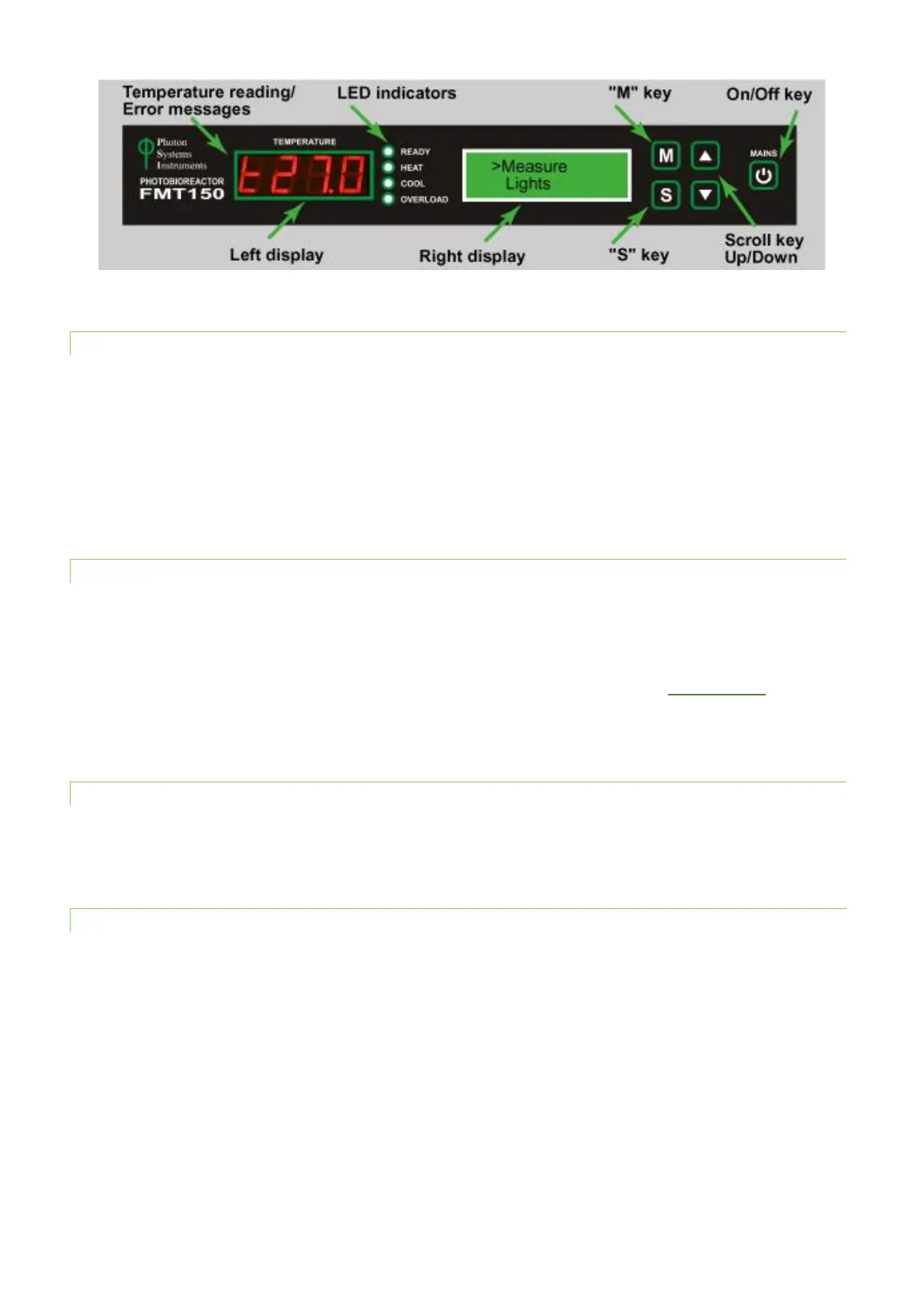
Fig. 7 Photobioreactor front panel.
3.3.1 LED INDICATORS
Green LED indicator READY is lighting when the current temperature is equal to target temperature.
Orange LED indicator HEAT is lighting when the heater turns on in the cultivation vessel.
Blue LED indicator COOL is lighting when the water in the cultivation vessel is cooled and the Cooling Unit is operating. The
minimal temperature in the standard PBR FMT150 is 5 °C.
Red LED indicator OVERLOAD is lighting when the requested temperature in the cultivation vessel higher than the current
temperature was not reached yet.
3.3.2 DIGITAL DISPLAY ON THE LEFT
Displays the current temperature in the cultivation vessel and error messages if any problems with the FMT150 occur.
Possible error messages are:
• Er6 – Temperature/pH sensor is not connected.
• Er7 – Temperature sensor is not functional and must be repaired. Please contact support@psi.cz if this error
occurs.
3.3.3 DISPLAY ON THE RIGHT
This display shows various functions of the FMT150 and these are activated and set with the main keys on the right side of
the control unit as described below.
3.3.4 MAIN KEYS
• [M]: Used to move back in the menu tree or to exit the menu.
• [S]: Used to move forward in the menu tree, to save the selection, or to turn ON/OFF.
• [▲]: Used to move up in the menu or to add value.
• [▼]: Used to move down in the menu or to subtract value.
• [Mains]: (On/Off) key doesn't have any function related to the common use of PBR and it is intended only for
service purposes. The Photobioreactor is turned on by switching on the corresponding Power supply.



 To Next Page