© PSI (Photon Systems Instruments), spol. s r. o.
16
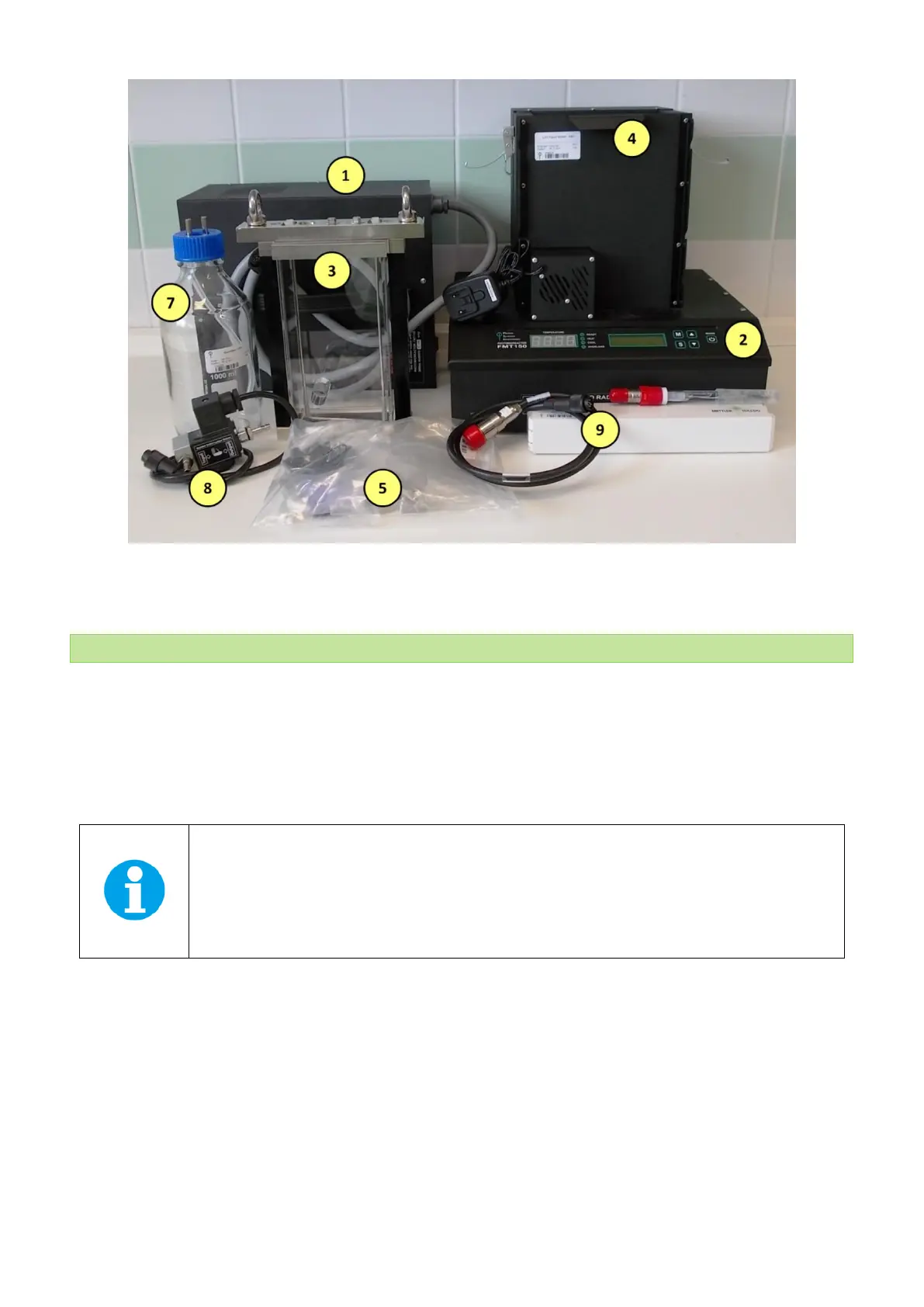
Fig. 6 Minimal configuration set of the Photobioreactor FMT150. Numbers correspond to component numbers as described on page 14.
3.3 CONTROL UNIT FRONT PANEL
Photobioreactor Control Unit front panel can be used for simple manual control of the PBR FMT150. By using the keys on
the front panel, the operation of cultivation and monitoring units such as pH/temperature sensor, light control, OD
monitoring module, PWM mode or CO
2
and O
2
sensor can be controlled. When FMT150 photobioreactor is purchased
without the Remote Control System for PBR FMT150 then all of the control has to be set up manually using the front panel
of the FMT150 control unit. The user can read out from the display the actual values for the given sensor or monitoring
unit.
Important: Please note that no user-defined protocols can be designed and no data recording is
possible without the PC and PBR software.
Please note that neither turbidostat nor chemostat module can be operated if FMT150 is purchased
without the PBR software.



 To Next Page