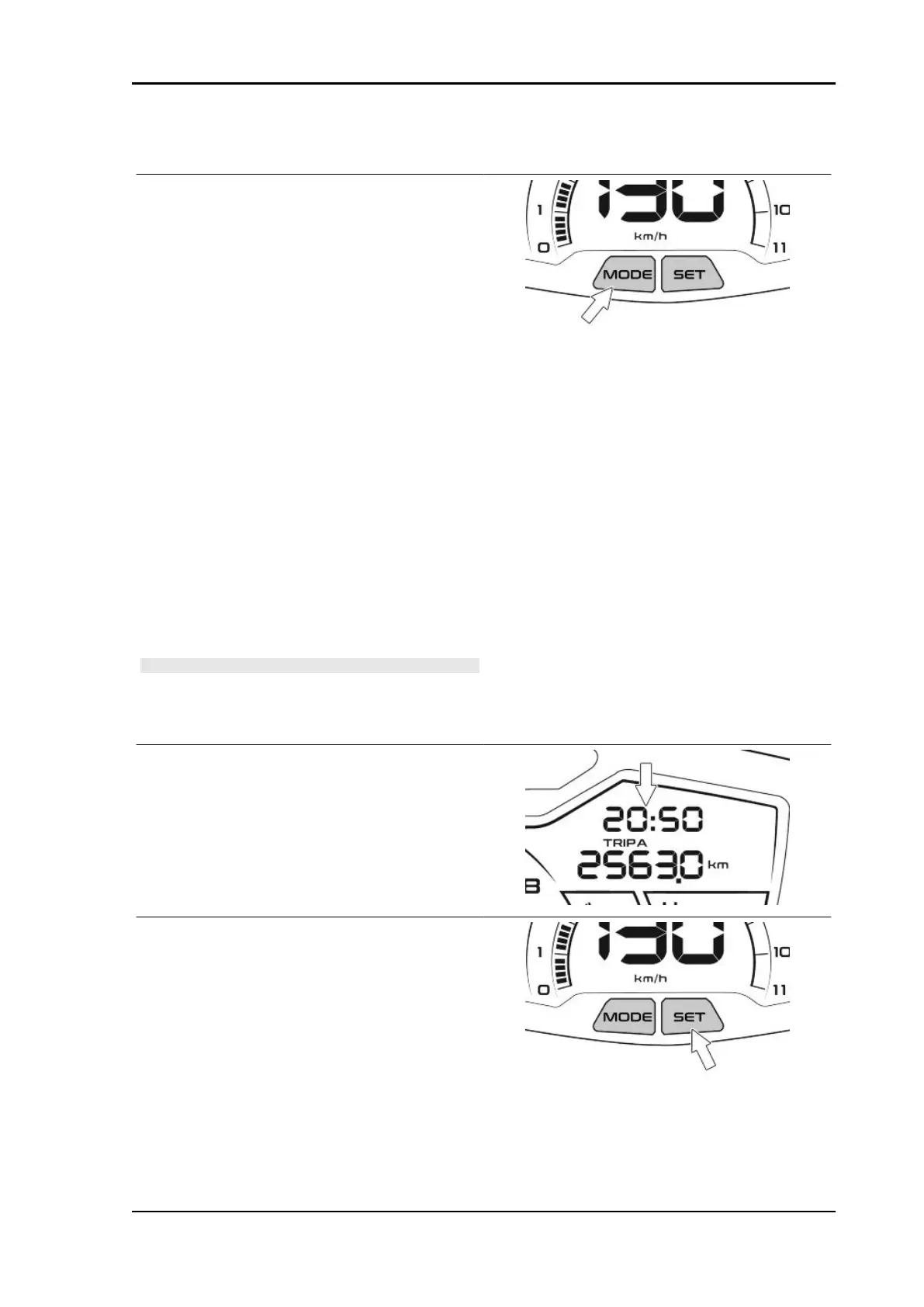
Instruments start-up
DIGITAL DISPLAY MEASUREMENT UNIT CON-
VERSION (Km-mi, l-gal, °C-°F)
•
With the ignition switch turned to
"OFF", press and hold the MODE key
on the instrument cluster and simulta-
neously turn the ignition switch to
"ON";
•
release the button. The icons "mi",
"km", "°C", "°F" will flash;
•
briefly press the MODE button, until the
desired icon is displayed (steady);
•
press and hold the MODE for at least 1
to 5 seconds to change the unit of
measurement;
•
the consumption measurement unit
will automatically change when "Km"
or "mi" is selected.
N.B.
THE MEASUREMENT UNIT CONVERSION CAN TAKE
PLACE ONLY WITH THE VEHICLE AT A STANDSTILL.
CLOCK SETTING
To set or adjust the time, with the engine running
or with the ignition switch to "ON" position, proceed
as follows:
•
press and hold the SET button on the
instrument cluster for at least 5 sec-
onds and then release the button; the
hour value "hh" starts flashing;
•
press the SET button briefly and re-
peatedly to set the correct hour value;
press and hold the SET button to cycle
the hour value rapidly;
•
press the SET twice in succession
briefly to confirm the set value (or cur-
Beverly 400 E5 Pre-delivery
PRE DE - 11



 To Next Page