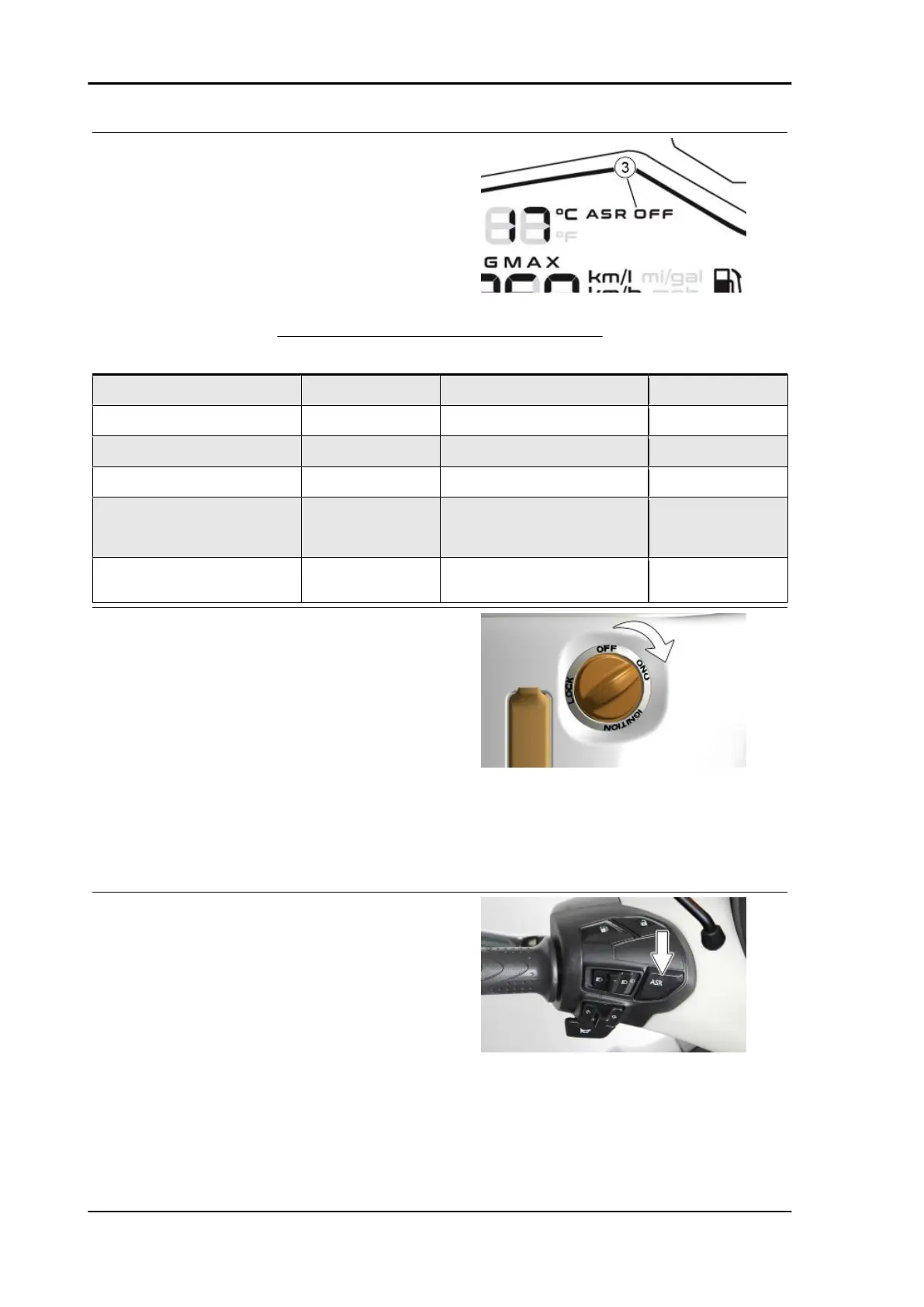
ASR "3" system deactivation icon
Icon "ASR OFF": on steady with engine started,
ASR system not working or not calibrated or vol-
untarily deactivated.
ASR/ASR OFF ICON OPERATION MODE
ASR System status ICON with engine off
or key "ON"
ICON with engine on ASR working
ACTIVE and calibrated "ASR" icon: 1Hz slow
flashing
Icons switched off "ASR" icon: 5Hz fast
flashing
ACTIVE not calibrated Icon "ASR OFF": on
steady
Icon "ASR OFF": on steady "ASR" icon: 5Hz fast
flashing
ASR voluntarily deactivated Icon "ASR OFF": on
steady
Icon "ASR OFF": on steady -
ASR system not working Icon "ASR OFF": on
steady
Icon "ASR OFF": on steady -
Programming phase (successful) - "ASR" icon: 1Hz slow flashing (then
when the engine is started, the icons
turn off if the programming is suc-
cessful)
-
Programming phase (failed) Icon "ASR OFF": on steady when en-
gine is started if the programming
has failed
-
Manual calibration procedure of the ASR sys-
tem.
In order to maintain the efficiency of the ASR sys-
tem when one or both tires are replaced, a cali-
bration procedure of the ASR system must be
performed as follows on a straight flat stretch of
road:
1. With vehicle at a standstill and engine off.
2. Pull the brake lever, turn the starter switch to
"ON" and start the engine.
3. Disconnect the ASR system by pressing the
corresponding button for at least 1 second with the
engine running; The "ASR OFF" icon will be-
come steady on, initially it was off as the ASR
system had already been calibrated in the past.
Braking system Beverly 400 E5
BRAK SYS - 156










 To Next Page