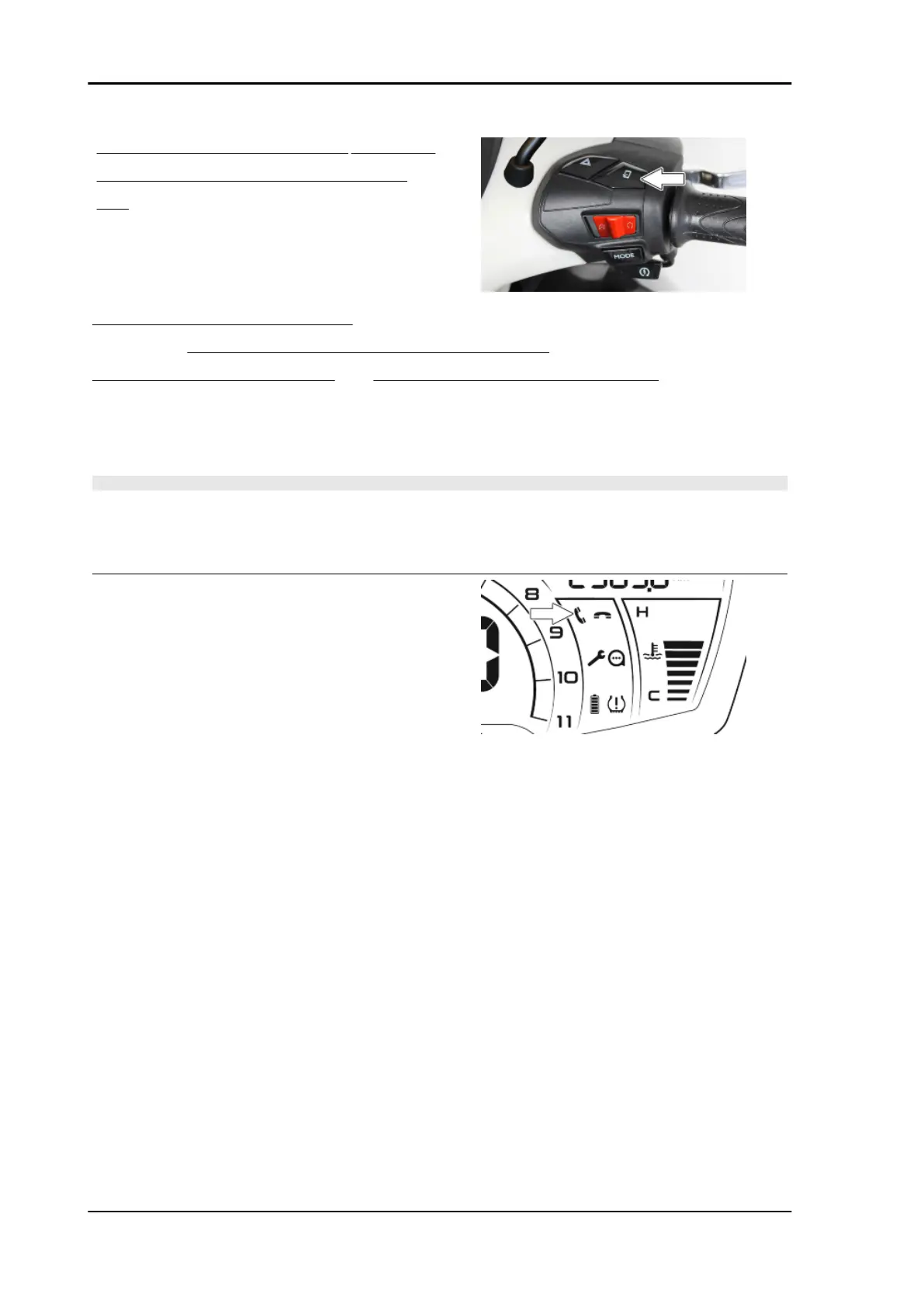
right side of the handlebar pressed and wait for
the PMP-PIAGGIO MIA Multimedia System
icon to flash on the digital display;
- Release the button as soon as the "PMP-PIAGGIO MIA Multimedia System" icon starts flashing;
- At this point enable the Bluetooth search on your smartphone;
- Select the "PMP3-XXXX" device and, if requested, type the password "0000" or answer "yes" to
the pairing request message that will appear on the smartphone screen to complete the Smartphone -
Piaggio MIA pairing.
- Once the pairing has been successfully completed, the icon will remain lit steadily.
N.B.
IF SMARTPHONES WITH AN ANDROID OPERATING SYSTEM ARE USED, THE "PIAGGIO MIA"
SYSTEM WILL BE VISIBLE TWICE IN THE SEARCH SCREEN FOR BLUETOOTH DEVICES. IN
THIS PAIRING PHASE, THE ONE WITH THE HEADPHONE OR HEADSET ASSOCIATED ICON
MUST BE SELECTED.
For specific information about the pairing of
the "Piaggio MIA" system and for any differen-
ces in the procedure depending on the type of
smartphone used, please refer to the user
manual included in the "PIAGGIO" app.
Please note that the installation and connec-
tion of the app are ESSENTIAL for using the
system.
The app manual with specific information for
using the system is available by visiting the
site
www.app.piaggio.com
The paired device will be present in the list of
paired devices. Wait for the "Piaggio MIA" system
to automatically connect the smartphone. DO NOT
force the connection from the smartphone.
When requested, allow phone book and notifi-
cations sharing. These authorizations are re-
quired to manage calls from the handlebar and
view the SMS reception notification.
THE CONNECTION BETWEEN THE SMART-
PHONE AND VEHICLE WILL BE SIGNALLED
Electrical system Beverly 400 E5
ELE SYS - 76



 To Next Page