[Step 3]
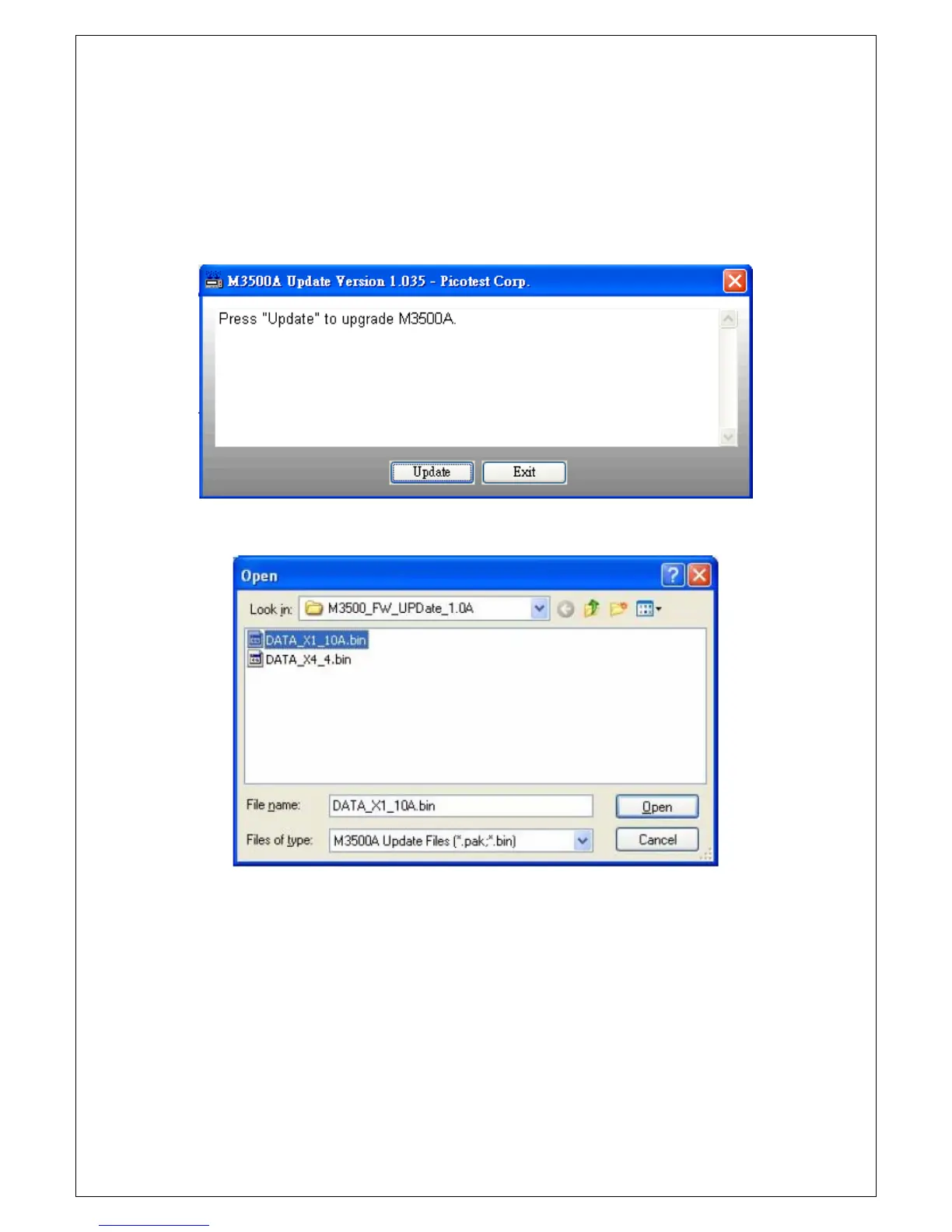
Connect your M3500A to PC via USB cable. Execute DmmUpdate.exe, and
a window as Figure 2-26a will show. Click the “Update” button and choose
the firmware file that you want to update, for example DATA_X1_10A.bin,
as shown in Figure 2-26b and open it.
Figure 2-26a
Figure 2-26b
[Step 4]
Restart your multimeter when the window as Figure 2-27 shows up. Please
ignore the “ERR” annunciator on the panel if it is lit after you restart your
instrument. It will disappear after you complete whole installation.



 To Next Page