[Step 2]
Remove the rear panel module.
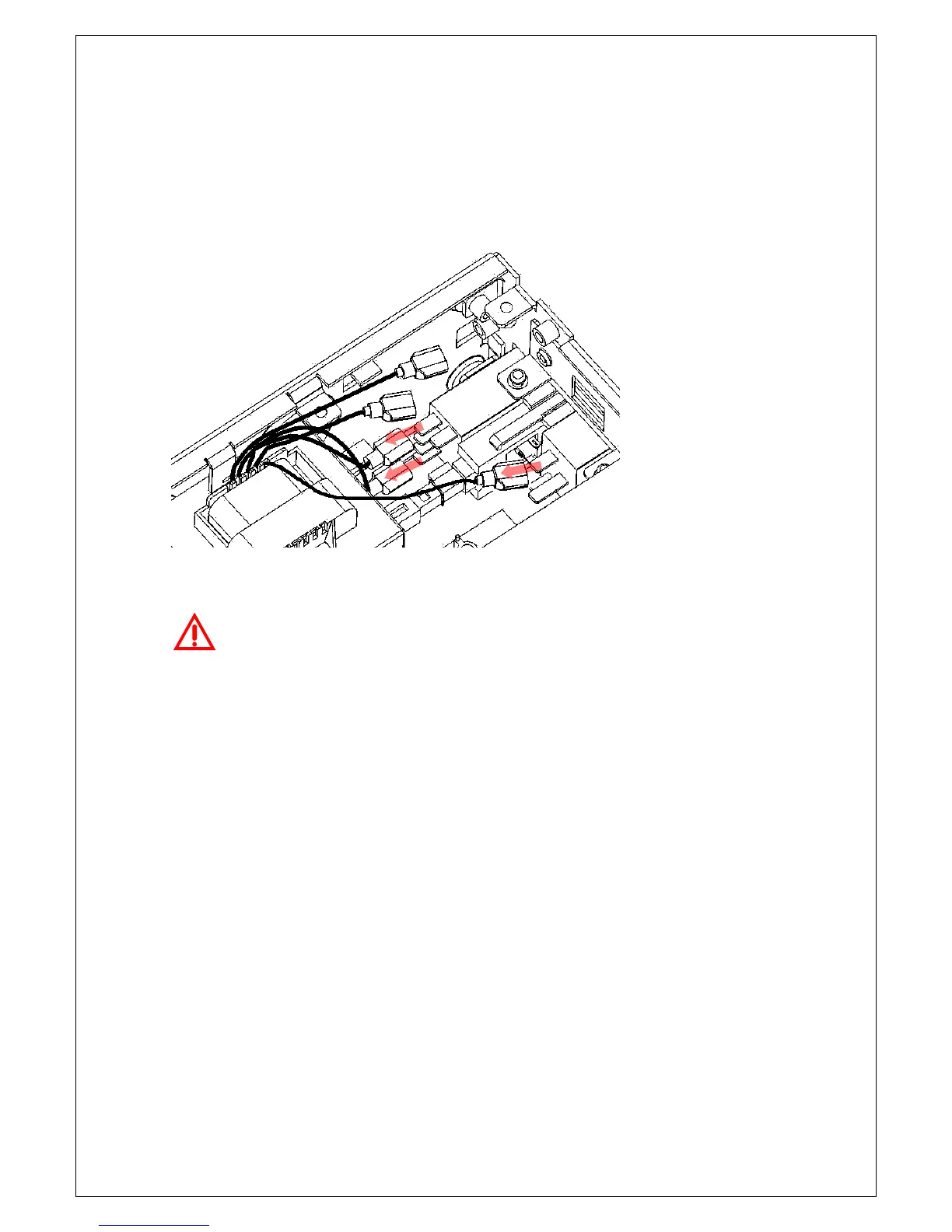
Disconnect the three connectors from the transformer to power entry as
shown in Figure 4-8.
Figure 4-8
Warning! Make sure the connection is correct when you re-connect
the connectors between the transformer and power entry. An incorrect
connection will make the power supplied to the multimeter improperly and
cause damage to your instrument. For more information about the power
transformer, please refer to section 2.1.2.
To remove the power switch rod from power entry, turn the multimeter
to the bottom. Place the edge of a flat-blade screwdriver in the notch on
the pushrod, and twist the driver gently while pulling the rod from the
shaft as shown in Figure 4-9.



 To Next Page