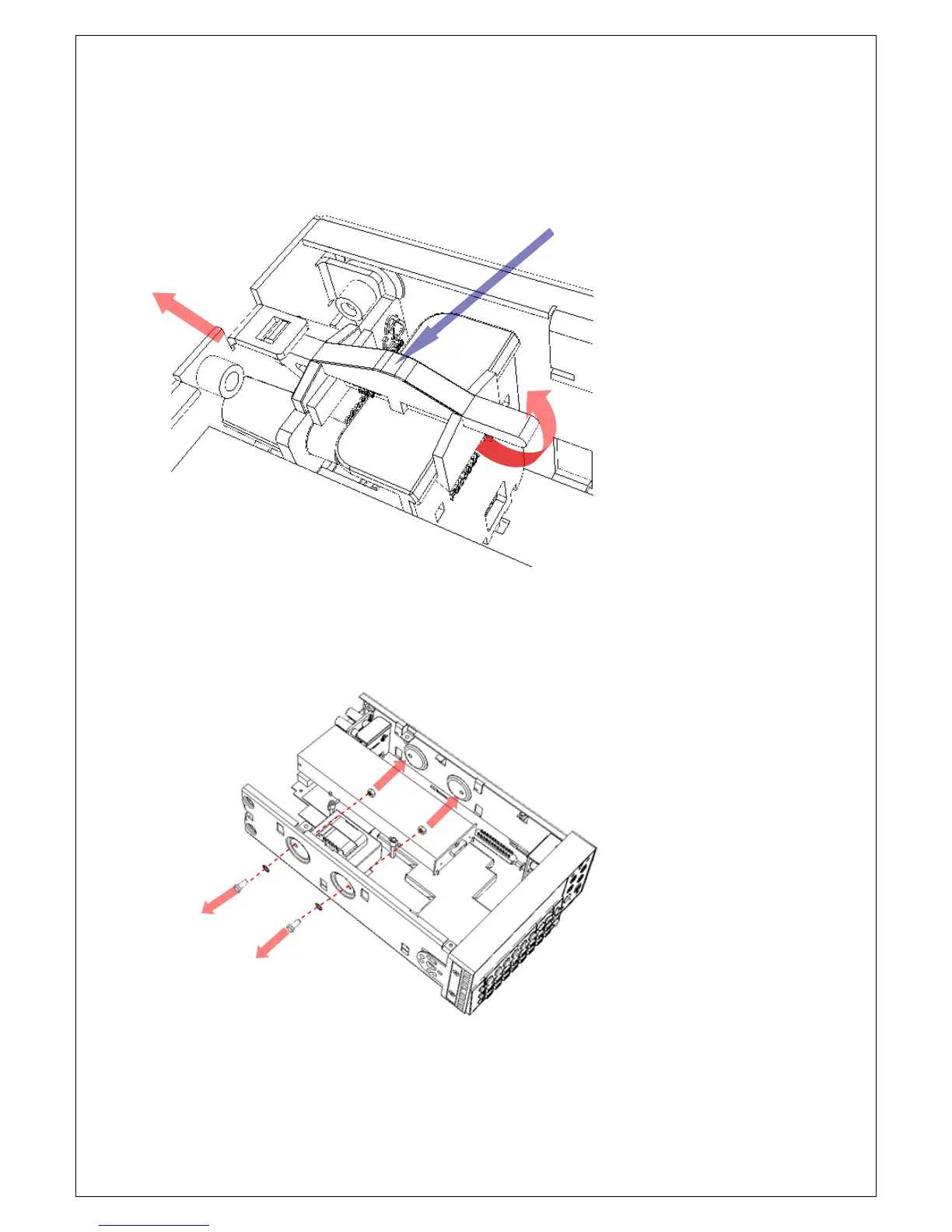
Remove the fastener of the rear terminal set as shown in Figure 4-11,
and pull the rear panel out from the chassis. Remove the fastener of the
front terminal set by the same way.
Figure 4-11
[Step 3]
Remove the transformer.
Loose the tow fastening screws as shown in Figure 4-12.
Figure 4-12
Unplug the three cables to the connectors J2201, J2202, and J2203, and
then remove the transformer.



 To Next Page