USER MANUAL Page
61
of
92
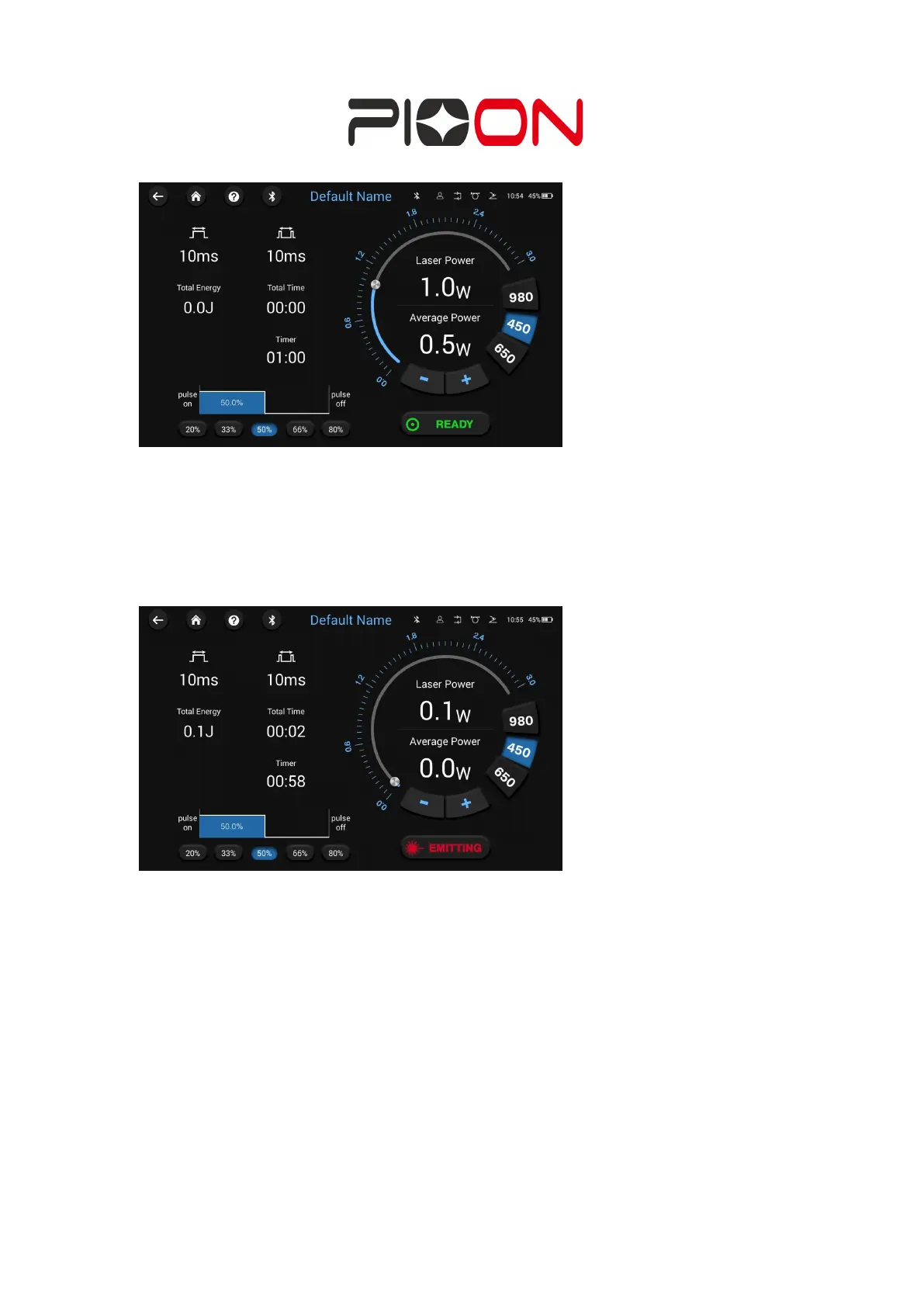
Figure 4-5-2: Ready state
4-5-3) In ready state, press the handle or foot switch to emit the laser, the interface
will switch to EMTTING state, at this time you can not modify any parameters. If you
need to modify the parameters, please return to the Standby or Ready state; (Figure
4-5-3)
Figure 4-5-3: Emitting state
4-6) In customize interface, the user can customize the parameters including the
output mode, pulse width, duty cycle, time, wavelength, power, etc.


 To Next Page